SEO foundations to prepare while building a website.
Start with understandable pages, working links, and content that answers readers' needs.
SEO is not a switch to turn on after a website is finished. Its foundations come from page structure, content that answers visitor needs, and important pages being discoverable through clear links.
Give each page a purpose
Separate pages by reader needs rather than a list of keywords. A service page can explain scope and process, while an article answers a particular question. Use titles and descriptions that accurately represent each page's contents.
Make the content readable
Use a clear main heading, meaningful subheadings, and focused paragraphs. Describe images when doing so helps explain the content. Avoid repeating search phrases until the writing becomes awkward for the person reading it.
Check each important page
- Accurate title. The page title describes its content and can be distinguished from other pages.
- Clear structure. The main heading, subheadings, and copy follow a meaningful reading order.
- Relevant links. Readers have a route to related services, projects, or further explanation.
Connect relevant pages
Link articles to related services or examples of work. Use link labels that explain the destination. Check missing pages, duplicate URLs, and redirects when addresses change. A sitemap records the public pages you intend to make available.

Maintain the site after launch
Review content as the business offer changes. Observe which pages people visit and which questions remain unanswered, then improve them gradually. A sound technical structure supports this work but does not guarantee any particular search ranking.
A routine after launch
- Check accessibility to crawlers. Check that public pages and the sitemap are accessible and not unintentionally marked noindex.
- Review reader questions. Improve unanswered needs, especially when the business offer changes.
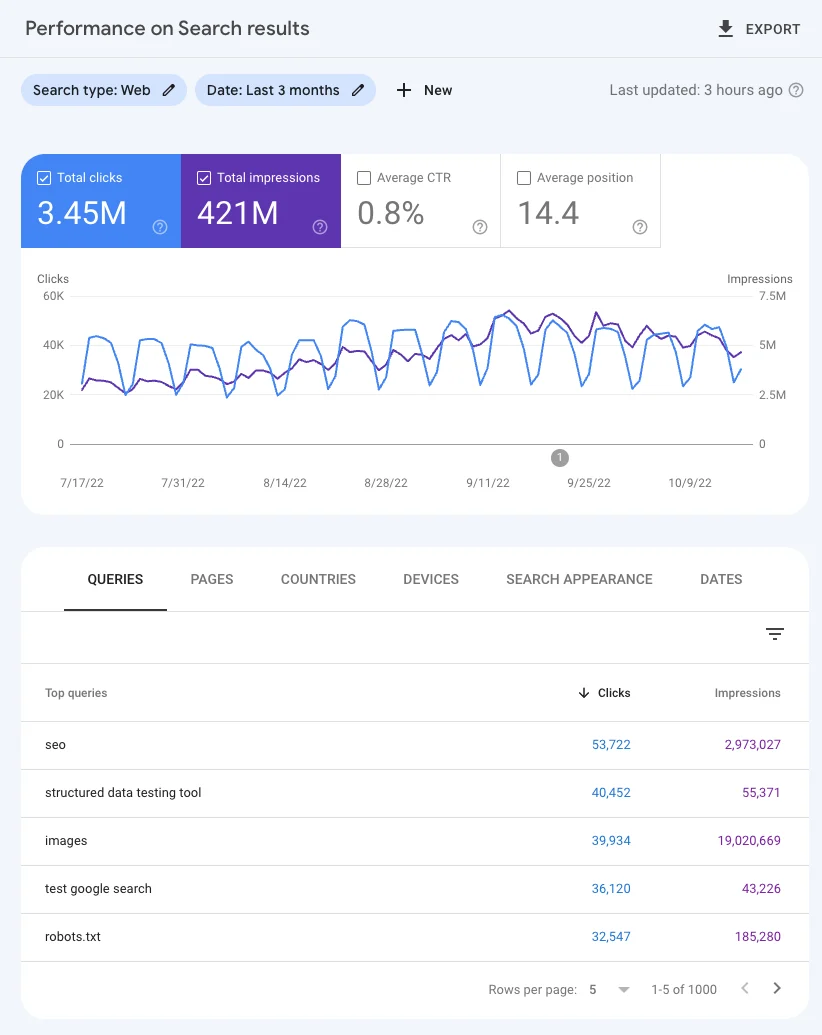
- Monitor with context. Use search reports to identify patterns, then connect them to page content and changes made.
Write for questions people actually ask
Collect questions from customer conversations, proposals, and completed work. Group them by purpose: understanding a service, comparing options, or preparing a project. An article should answer one related set of needs with useful depth rather than forcing every topic onto the same page.
Add examples and boundaries that help the reader make a decision. An interesting heading should still accurately describe the content. When a topic relates to a service, link to the relevant service page so readers can continue after finding their answer.
Keep addresses and language versions consistent
Important pages need stable addresses. When one piece of content is available through multiple URLs, identify its preferred version with an appropriate canonical. For a bilingual site, connect equivalent versions so readers and search engines can understand the relationship between pages.
A sitemap should list public pages intended for indexing at accessible addresses. Check robots rules and pages deliberately excluded from search as well. These settings clarify the structure of the site; their presence does not guarantee that every page will be indexed or achieve a particular position.
Use search data as feedback
After launch, review indexing reports and pages beginning to receive impressions. Consider whether the queries match what each page actually answers. If an article appears for a question it covers poorly, improve that explanation before creating another page with nearly identical content.
Compare changes over a reasonable period and keep a record of content updates. Avoid drawing conclusions from a single day or query. SEO decisions become more useful when they combine reader needs, technical conditions, and patterns visible in the reports.