
Project Overview
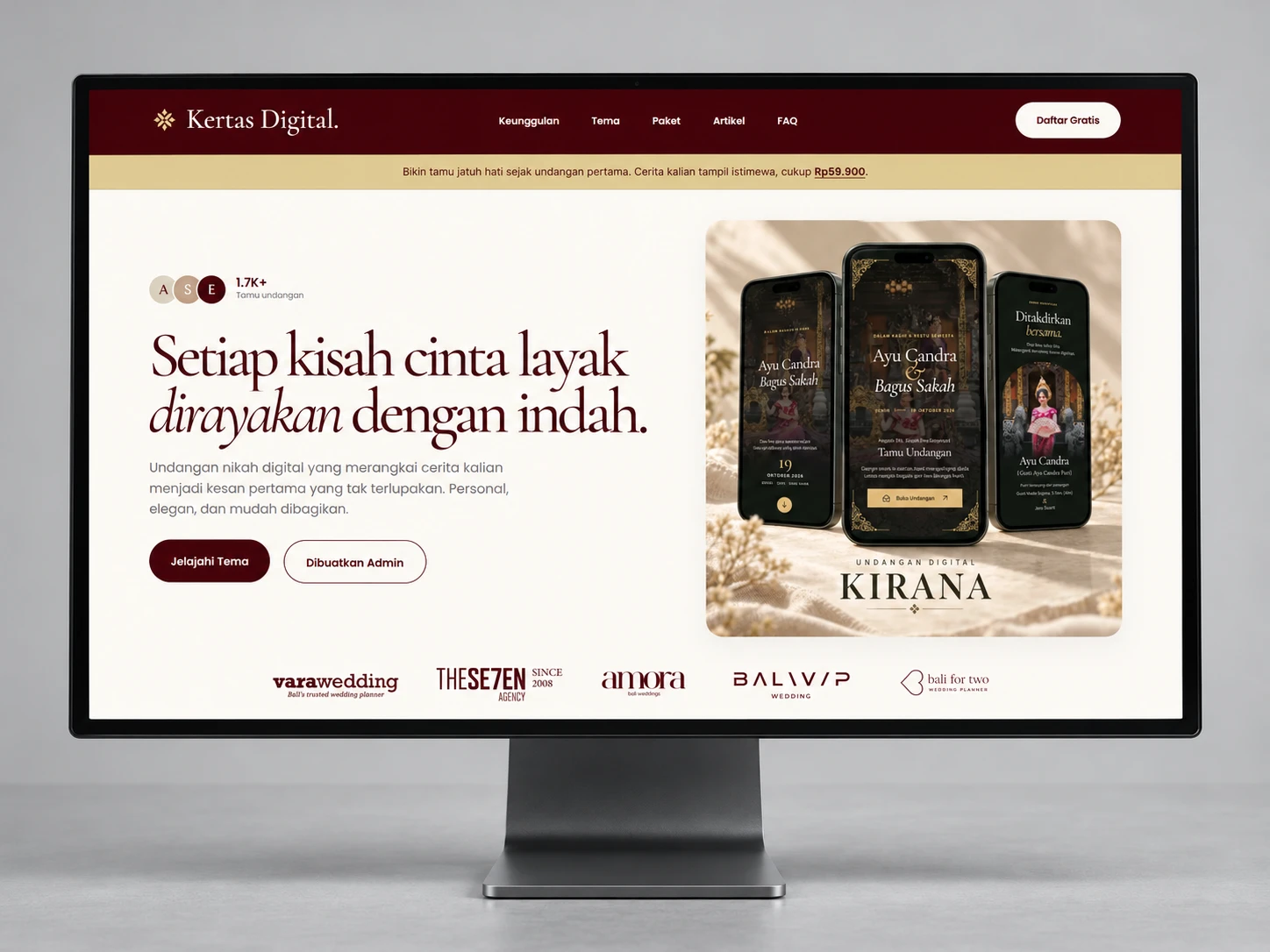
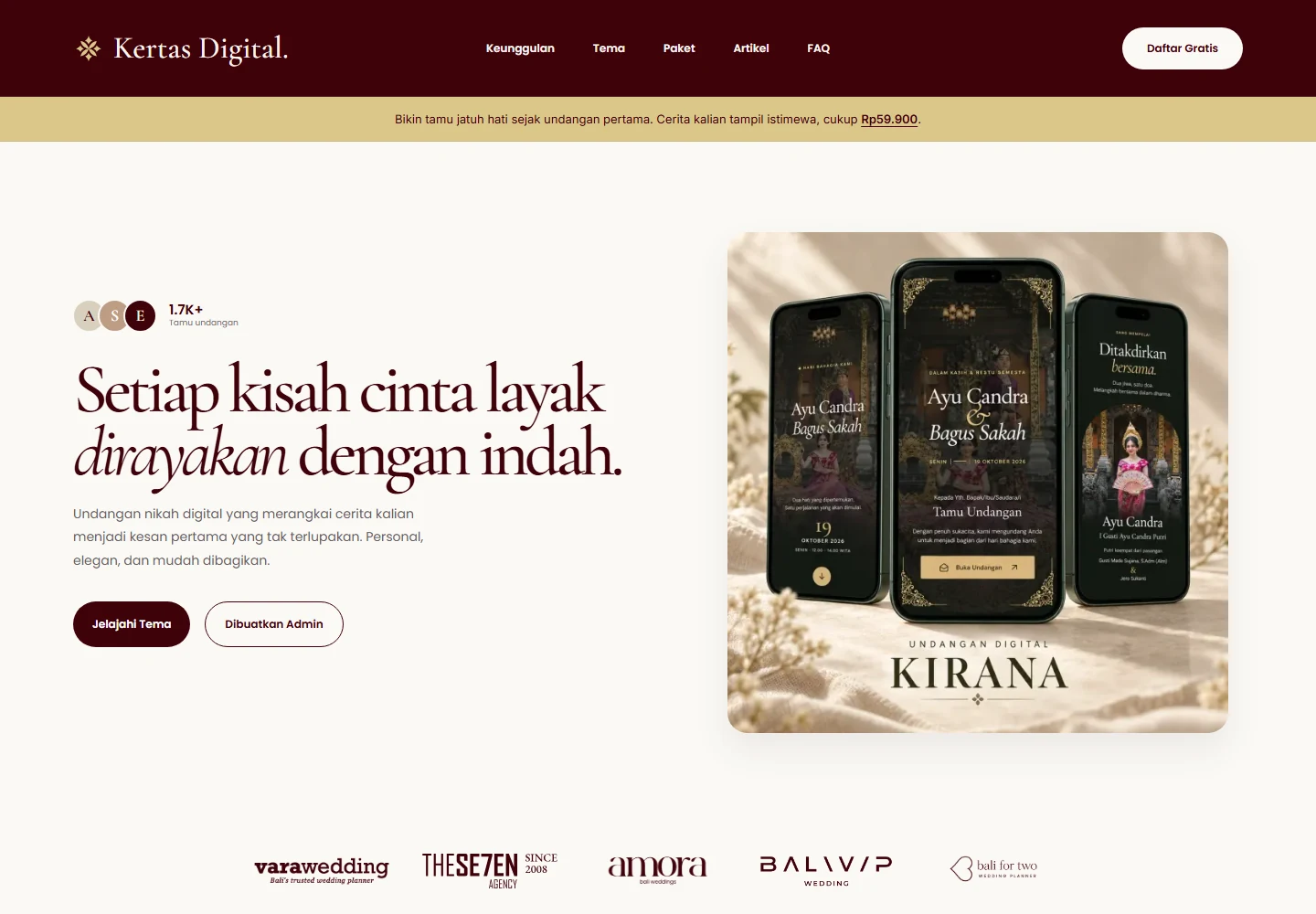
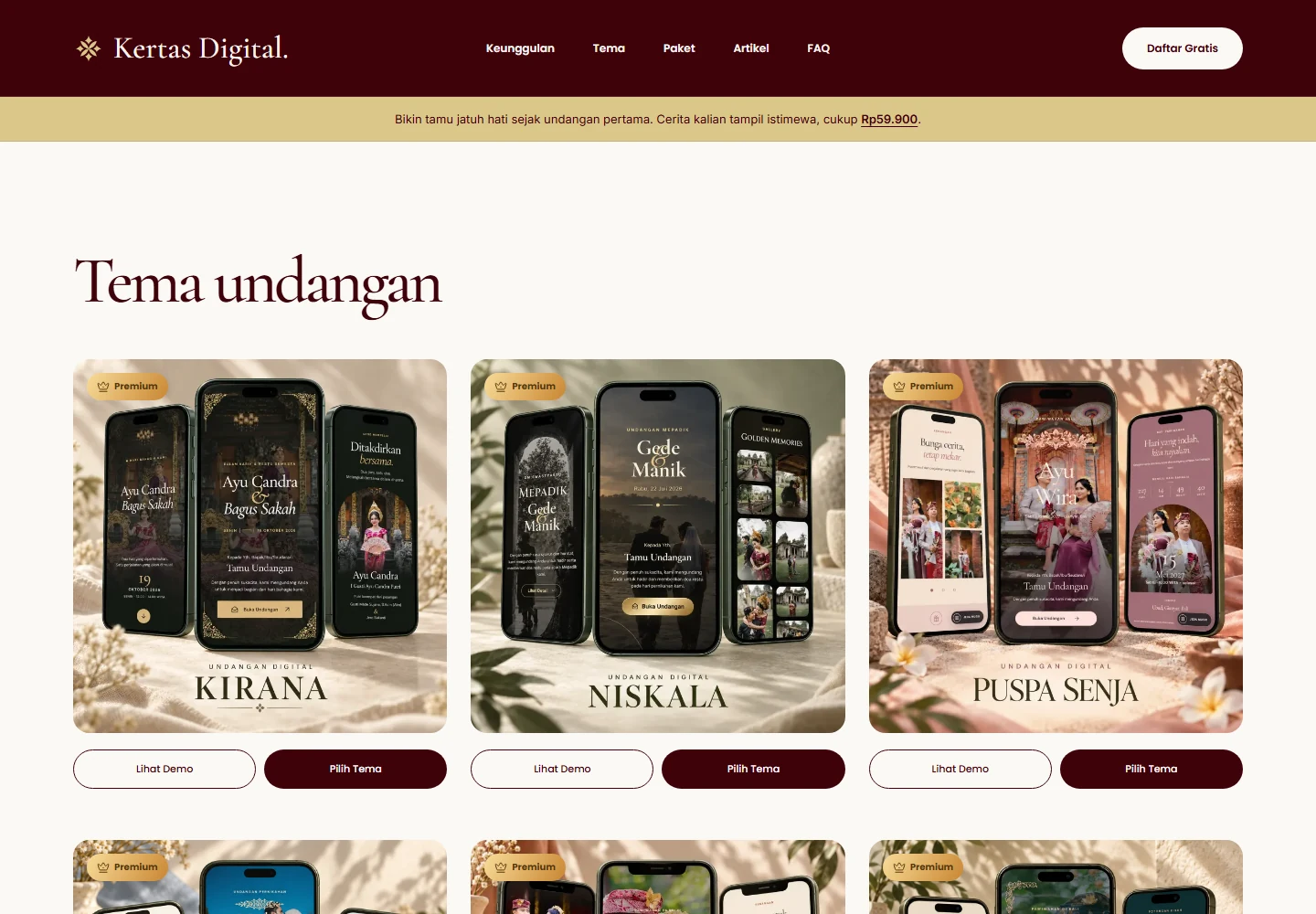
Kertas Digital turns wedding invitations into a complete online journey. The live website introduces a warm editorial identity, lets couples explore invitation themes and public demos, and presents clear package choices. Behind that public experience, the application connects invitation editing, media, publication, personalized guest links and responses.
The Challenge
A wedding invitation needs to feel personal while remaining practical to prepare and share. Couples must organize names, dates, venues, photos and music without losing the character of their chosen theme. Guests need a clear route to event information, directions, RSVP and wishes, while administrators need visibility into packages and custom requests.
Priorities and constraints
- Keep each invitation theme's visual identity while sharing one editing workflow
- Make event details, guest links and responses easy to manage across devices
- Separate public invitation content from private account and administrator tools
The Solution
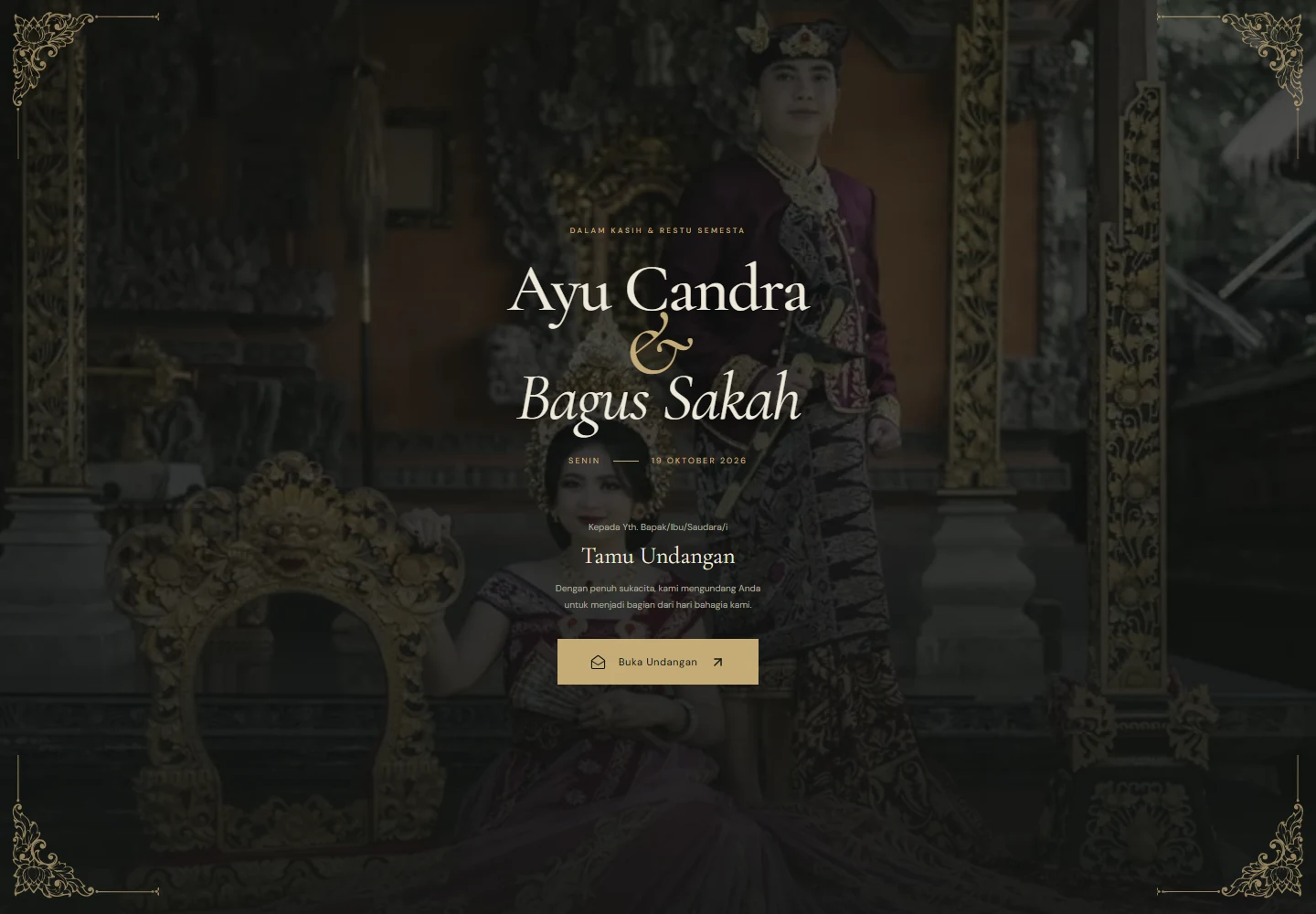
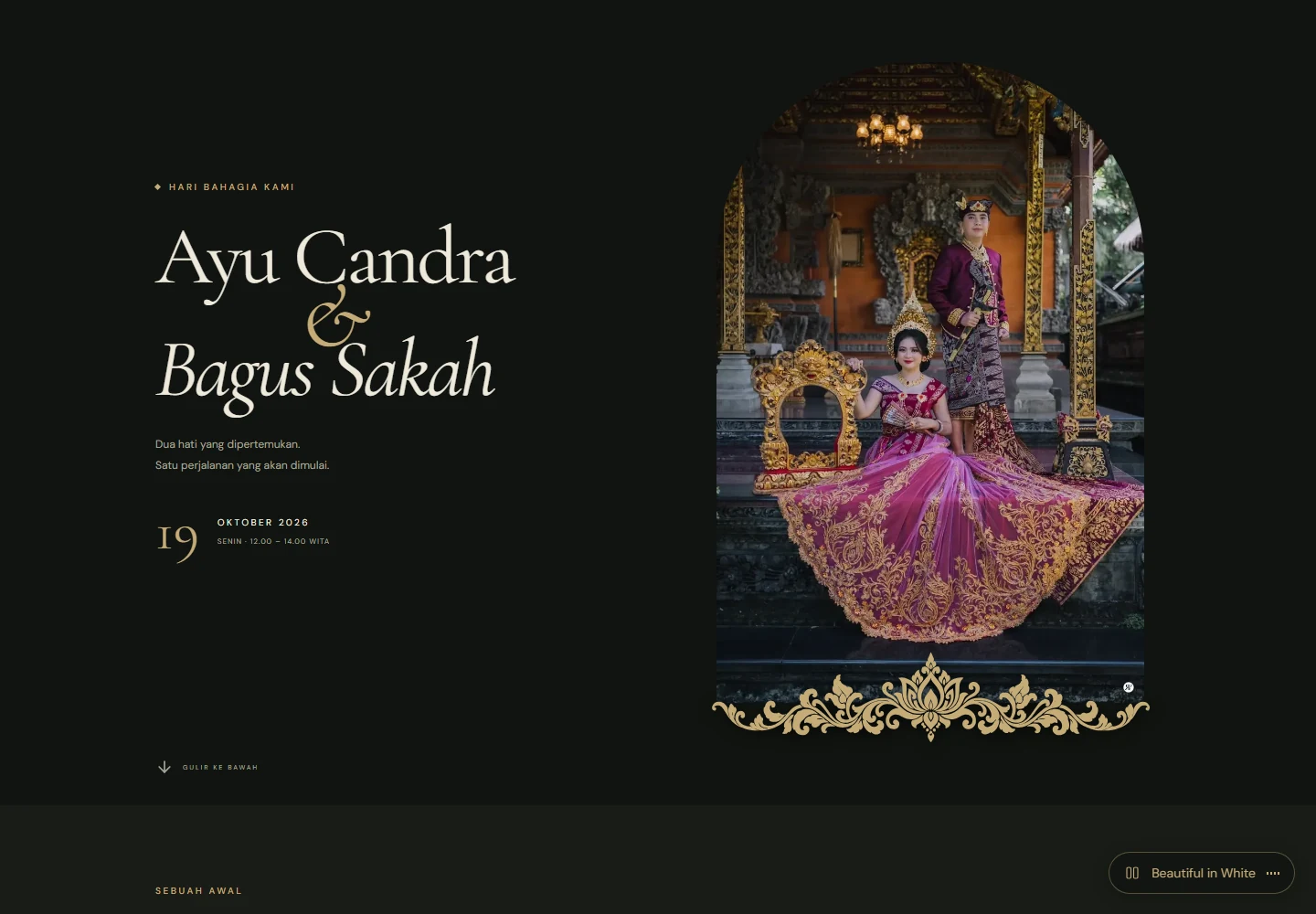
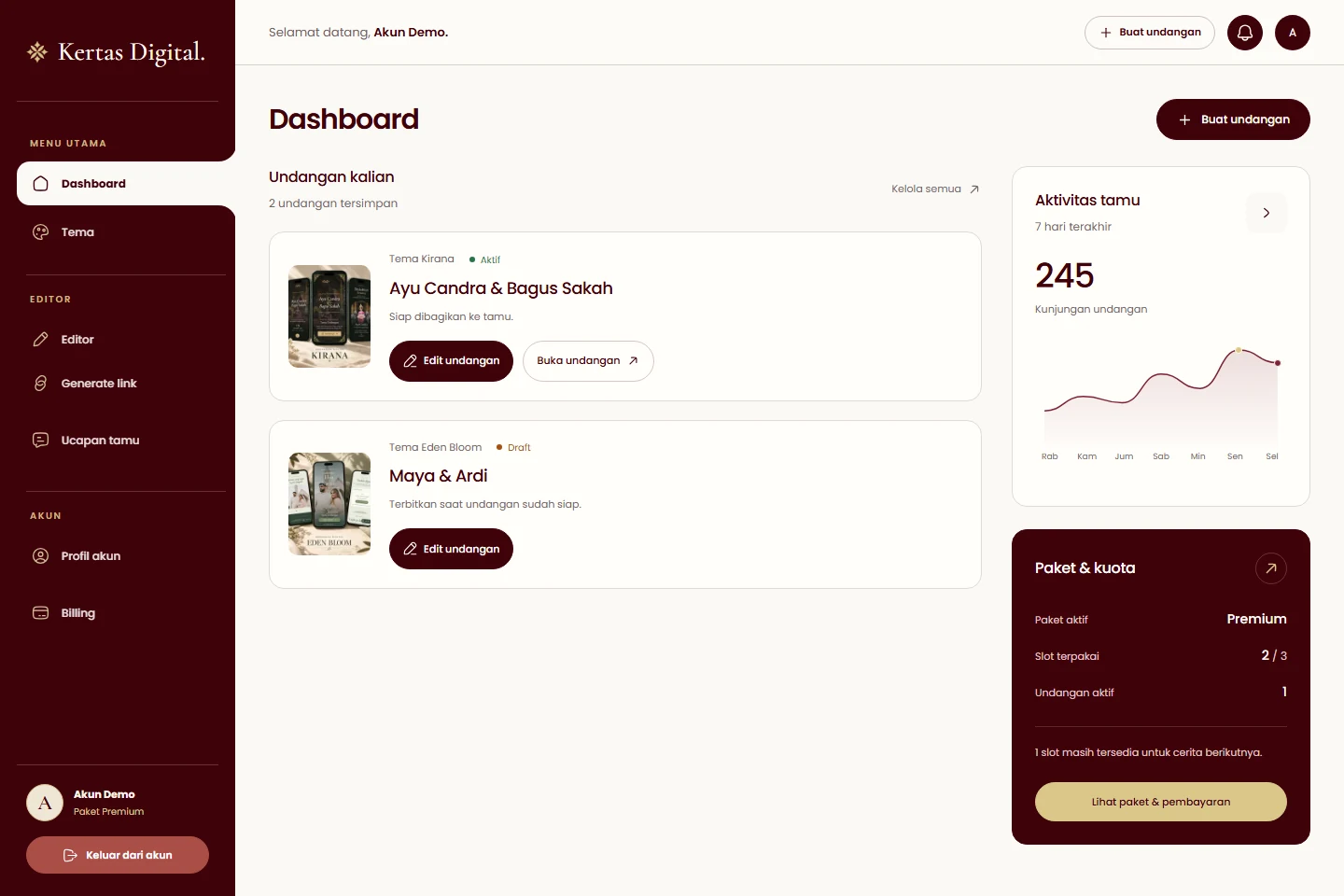
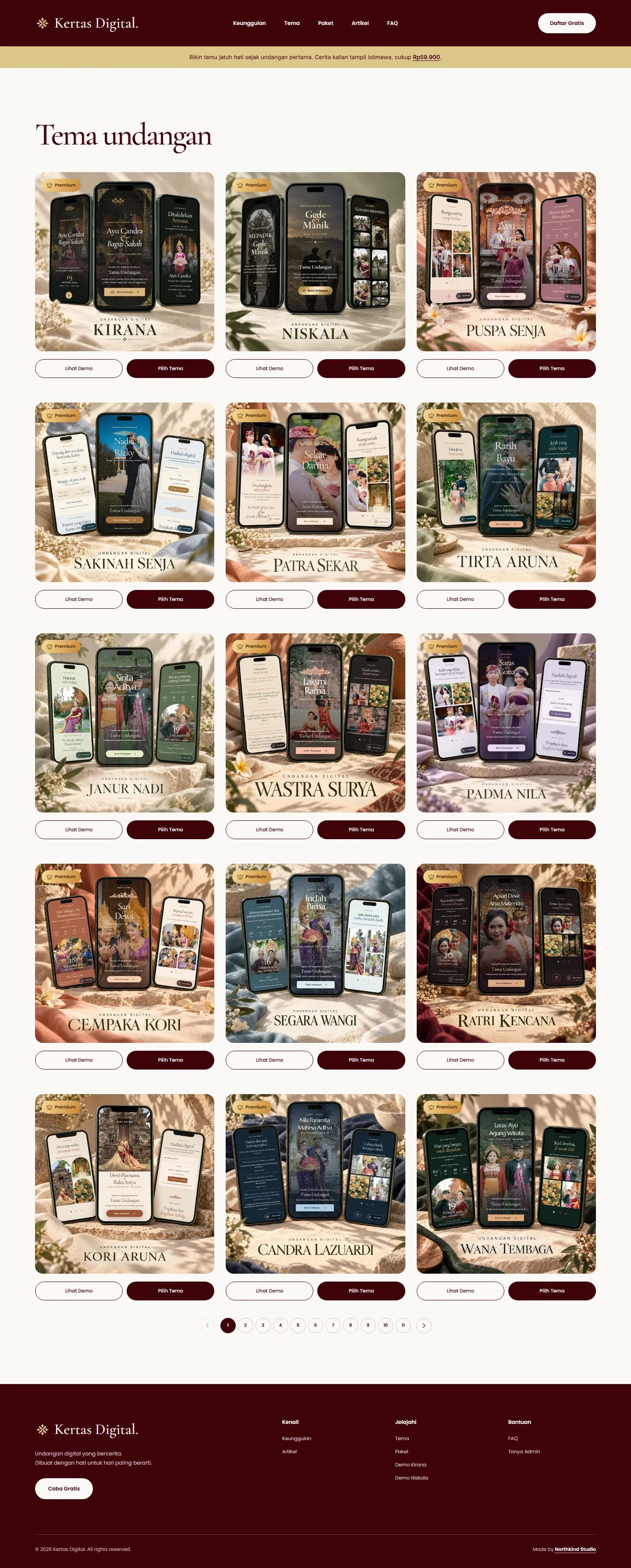
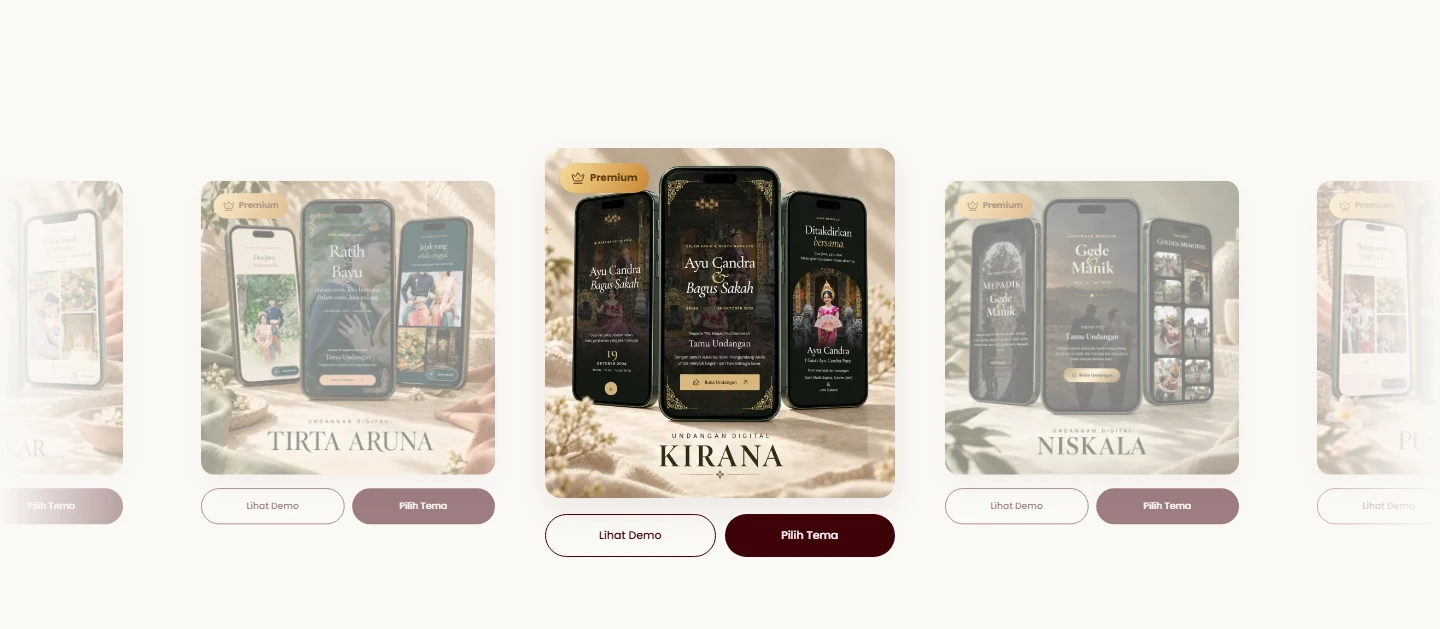
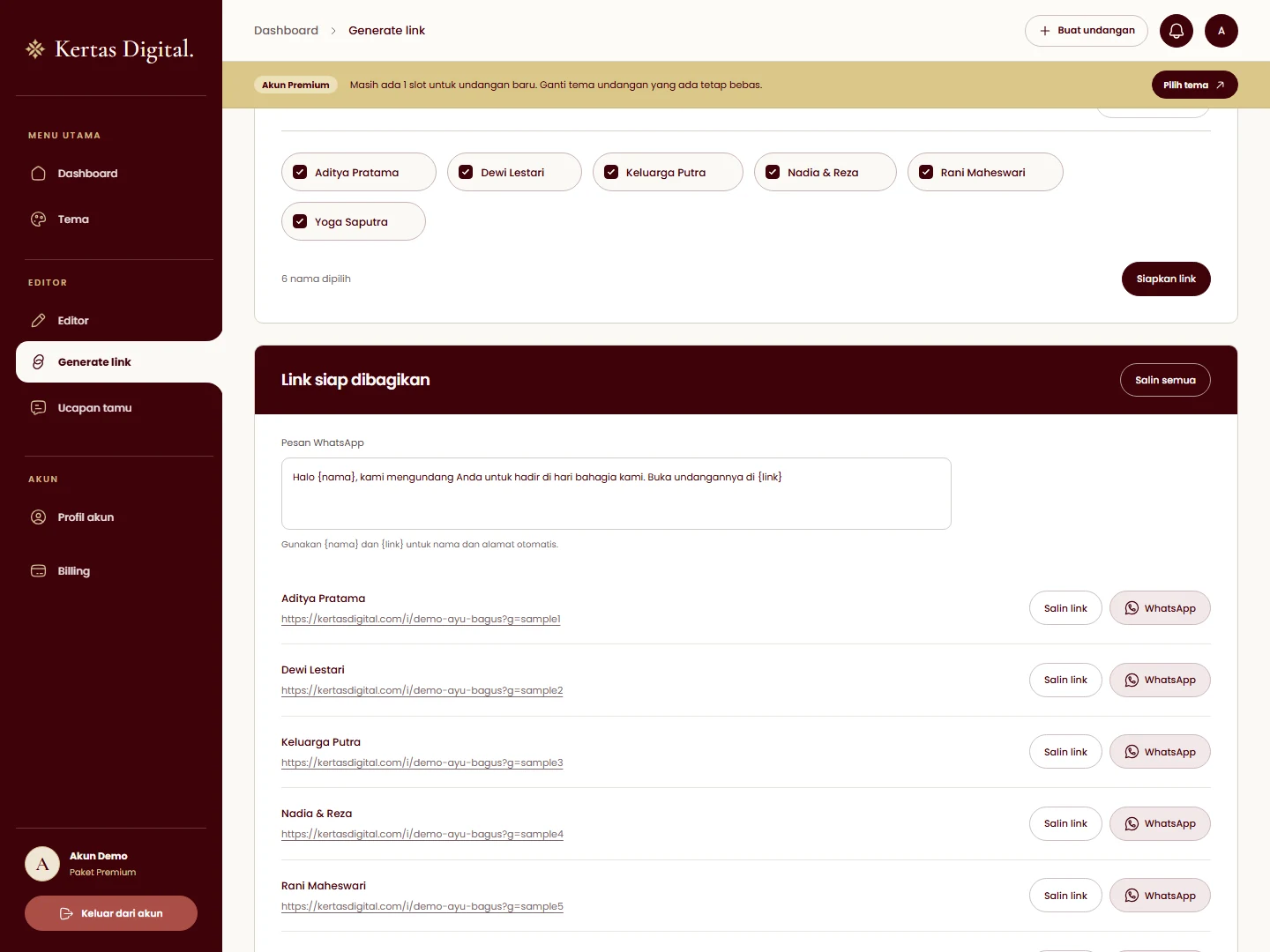
We brought the public brand, theme catalog and account workflows into one product. Theme-aware editor sections cover the couple, events, story, gallery, music, gifts and publication. Personalized links connect guest lists to the invitation, with CSV/Excel tools and owner-controlled wishes. Account tools track invitation status and activity, while the package workflow connects QRIS verification to access. The case visuals show the live public website, a public Kirana invitation and the real account interface populated with demonstration data.
What we delivered
- Brand direction
- Web design
- Product design
- Web application development
One starting point. A story of your own.
The catalog gives each couple a visual starting point. A shared editor carries their names, story, event details and media into the chosen theme while preserving its character.
- Explore public demos
- Prepare personal content
- Preview before publication

Share the invitation. Keep the details clear.
The invitation presents the couple's story alongside practical details. Personalized guest links, venue directions, RSVP and moderated wishes connect that experience to preparation in the account workspace.
- Personalized guest links
- Clear event information
- Owner-controlled wishes
Keep responses organized. Prepare with clarity.
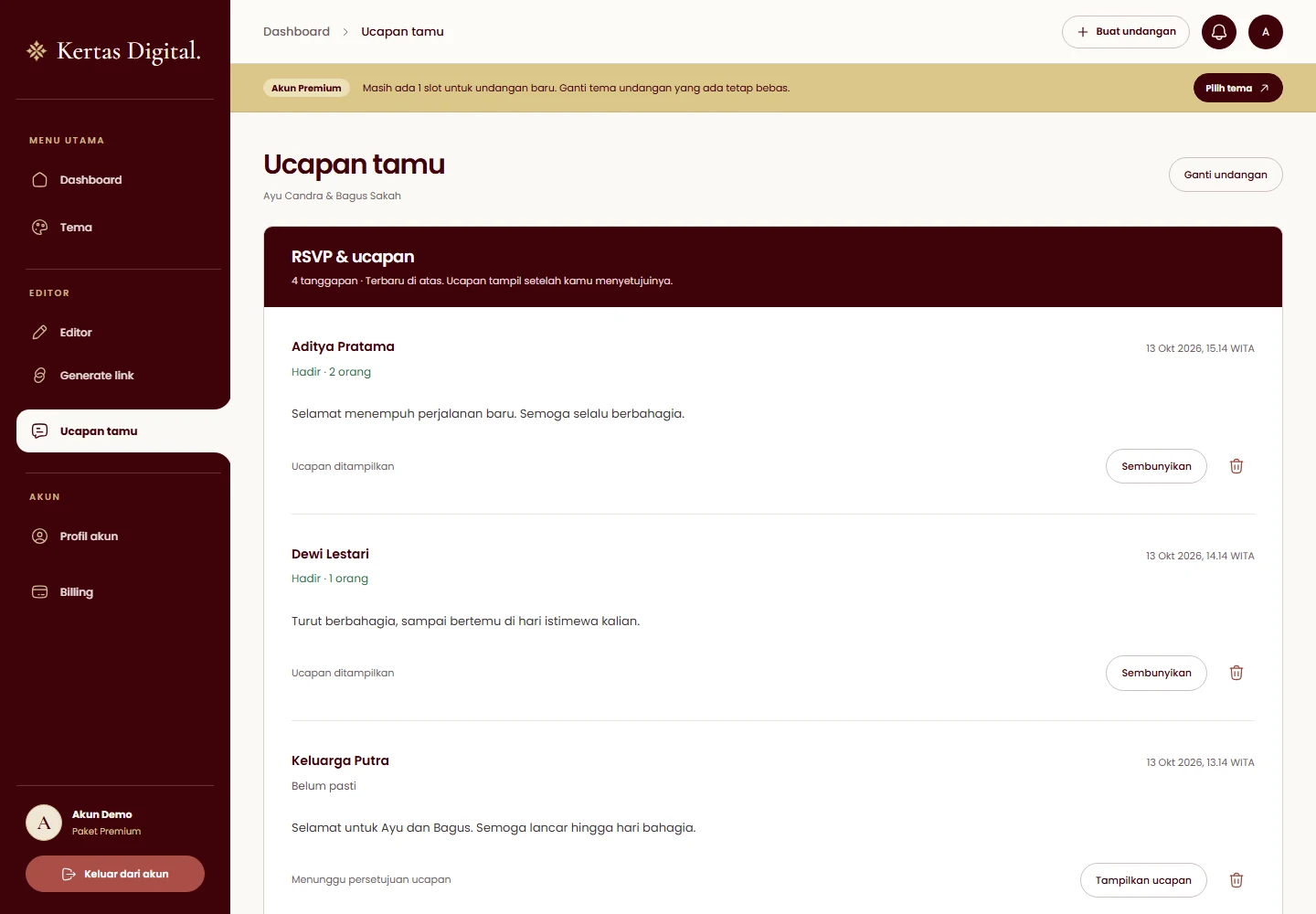
Attendance responses and wishes stay connected to the invitation. Couples can review guest counts and approve which messages appear publicly, with clear controls for each response.
- Review attendance responses
- Approve guest wishes
- Keep private and public content distinct
Built Around Its Users
Couple
Prepare and publish
Choose a theme, arrange the invitation content, preview the result and manage publication from the account workspace.
- Theme-aware editor
- Media and event details
- Invitation status
Guest
A personal invitation
Open a personalized link, understand the ceremony and reception details, find the venue and send a response.
- Personal guest link
- Location and schedule
- RSVP and wishes
Administrator
Support and operations
Review package and invitation activity, follow custom requests and support couples throughout preparation.
- Package workflow
- Custom requests
- Account support
“An invitation should make the story feel personal and the next step feel effortless.”
Impact
A personal invitation experience that connects theme discovery, editing, publication and guest responses.
- Connected user perspectives
- 3
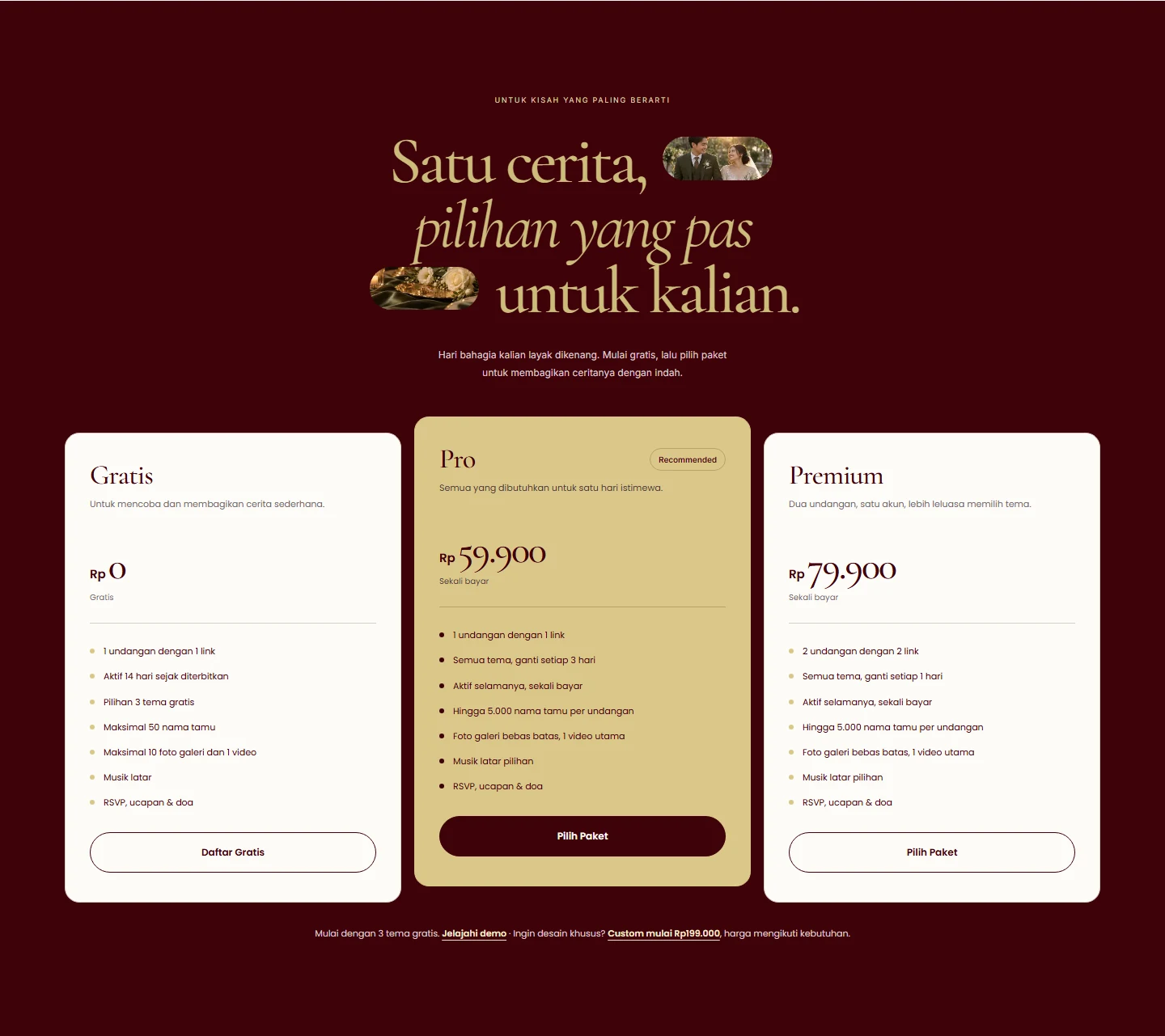
- Public package levels
- 3
- Invitation creation and sharing journey
- 1