
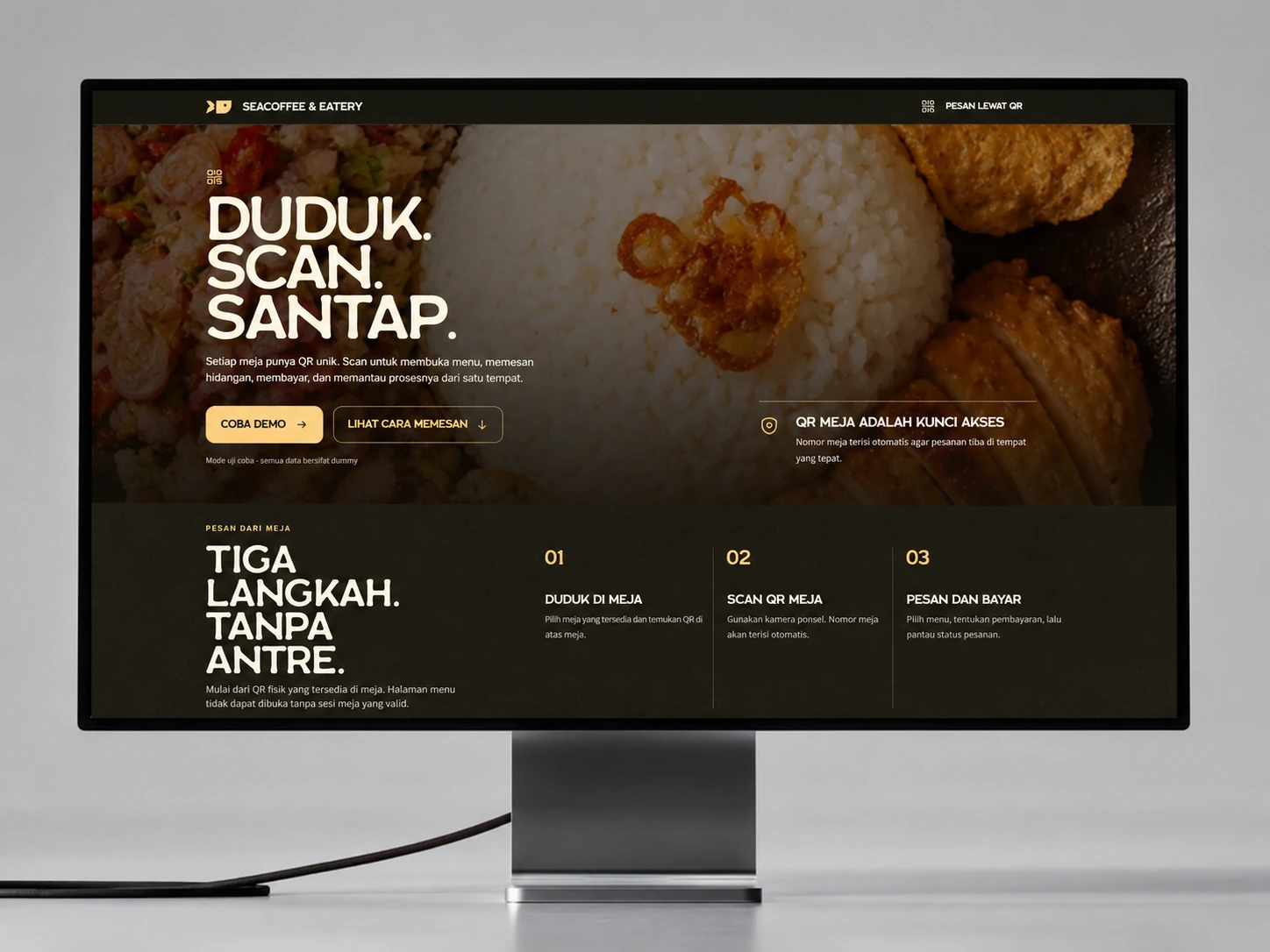
Project Overview
A table-first QR ordering system that connects customer selection, payment verification, kitchen production, and owner reporting without losing the order context between teams.
DineFlow turns one table order into a shared operational record. Customers can order without accounts, cashiers control payment release, the kitchen sees only confirmed work, and owners retain permanent transaction and menu visibility.
The Challenge
Cafe queues grow when customers choose at the counter, cashiers repeatedly explain the menu, and payment, kitchen notes, order status, and sales records are handed across separate tools or spoken instructions. The busiest hours expose every missing connection.
Priorities and constraints
- Protect each table with a unique QR token and temporary customer session
- Prevent unpaid orders from entering the kitchen production queue
- Keep customer, cashier, kitchen, and owner states synchronized around one order
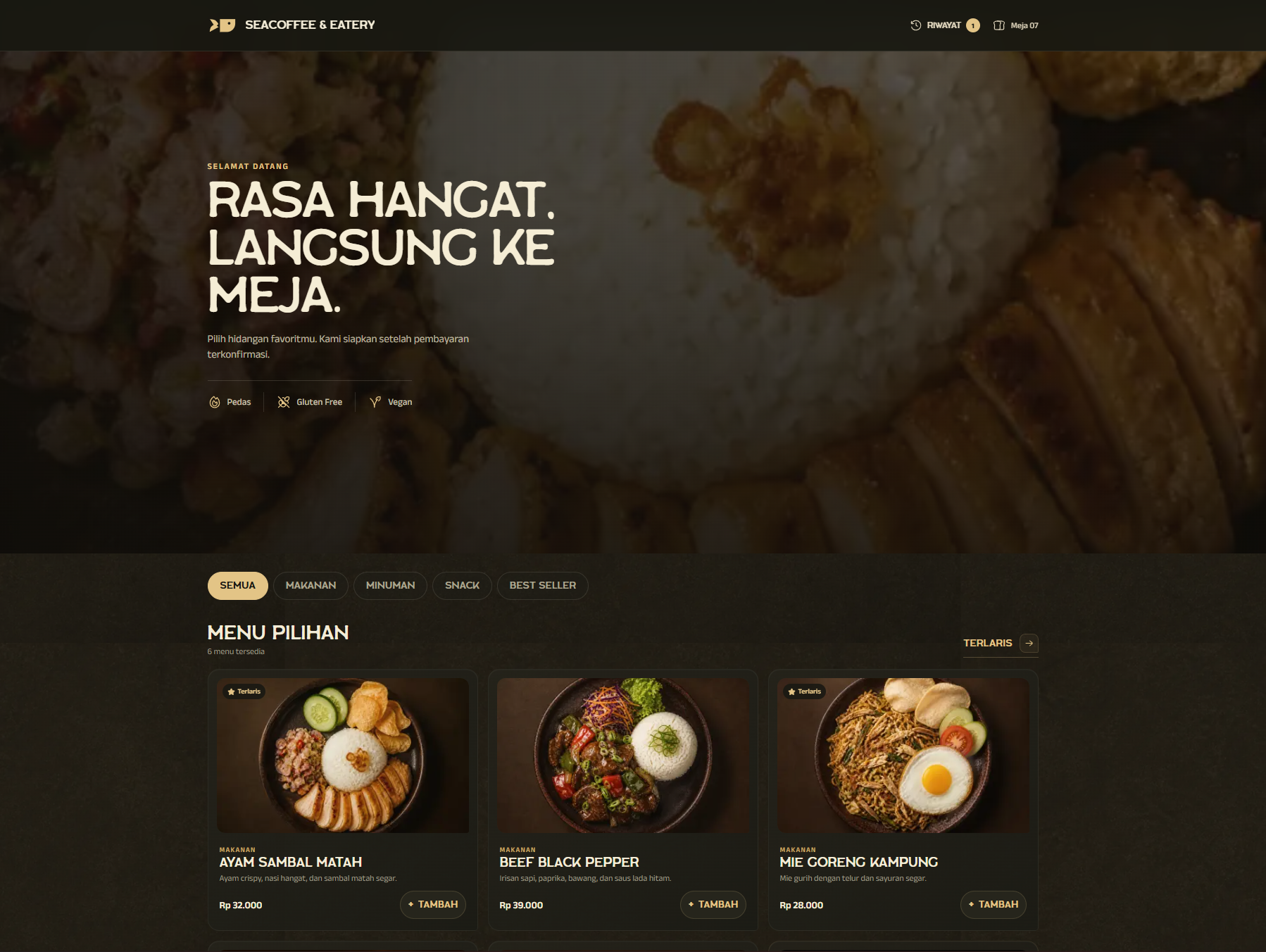
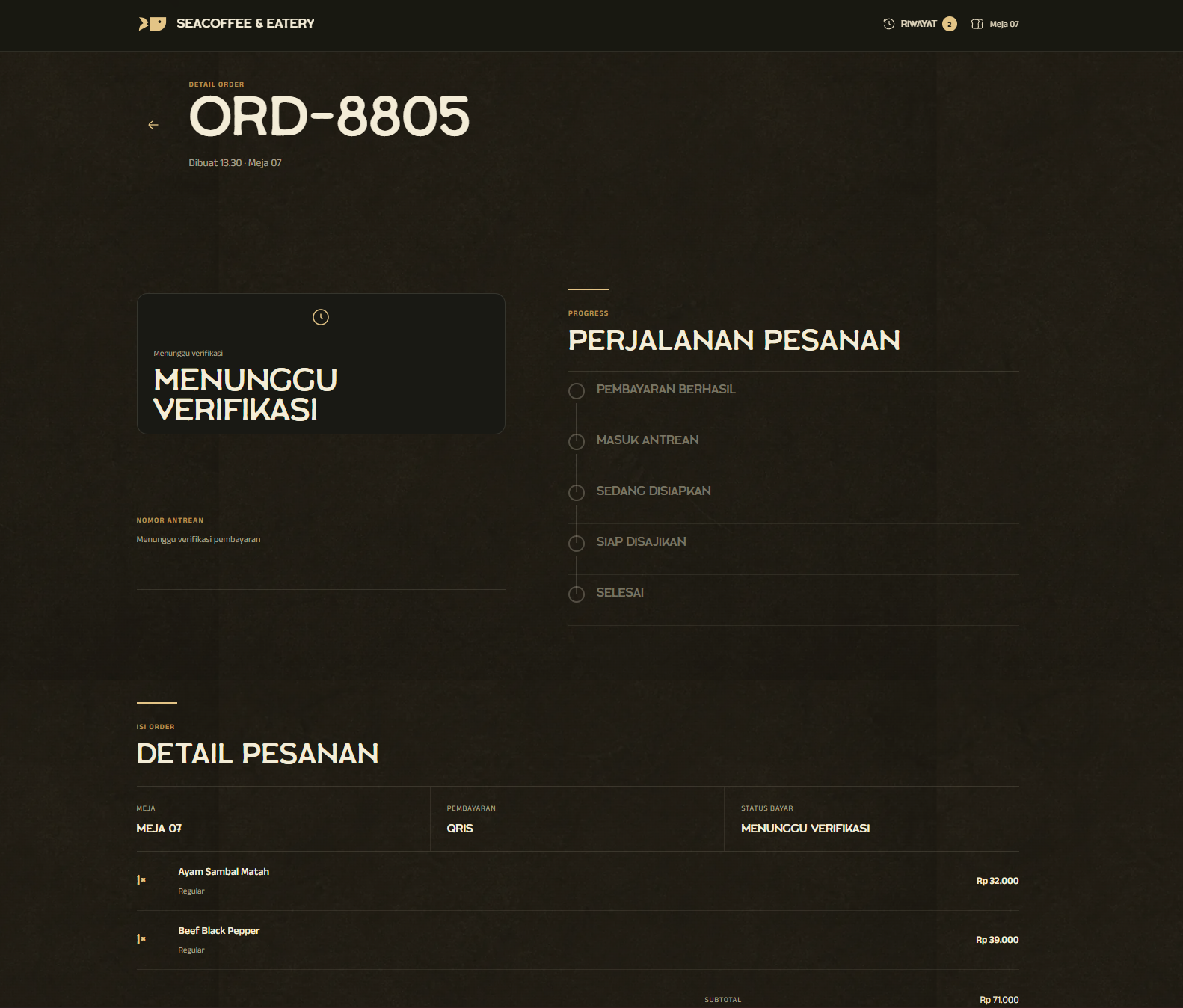
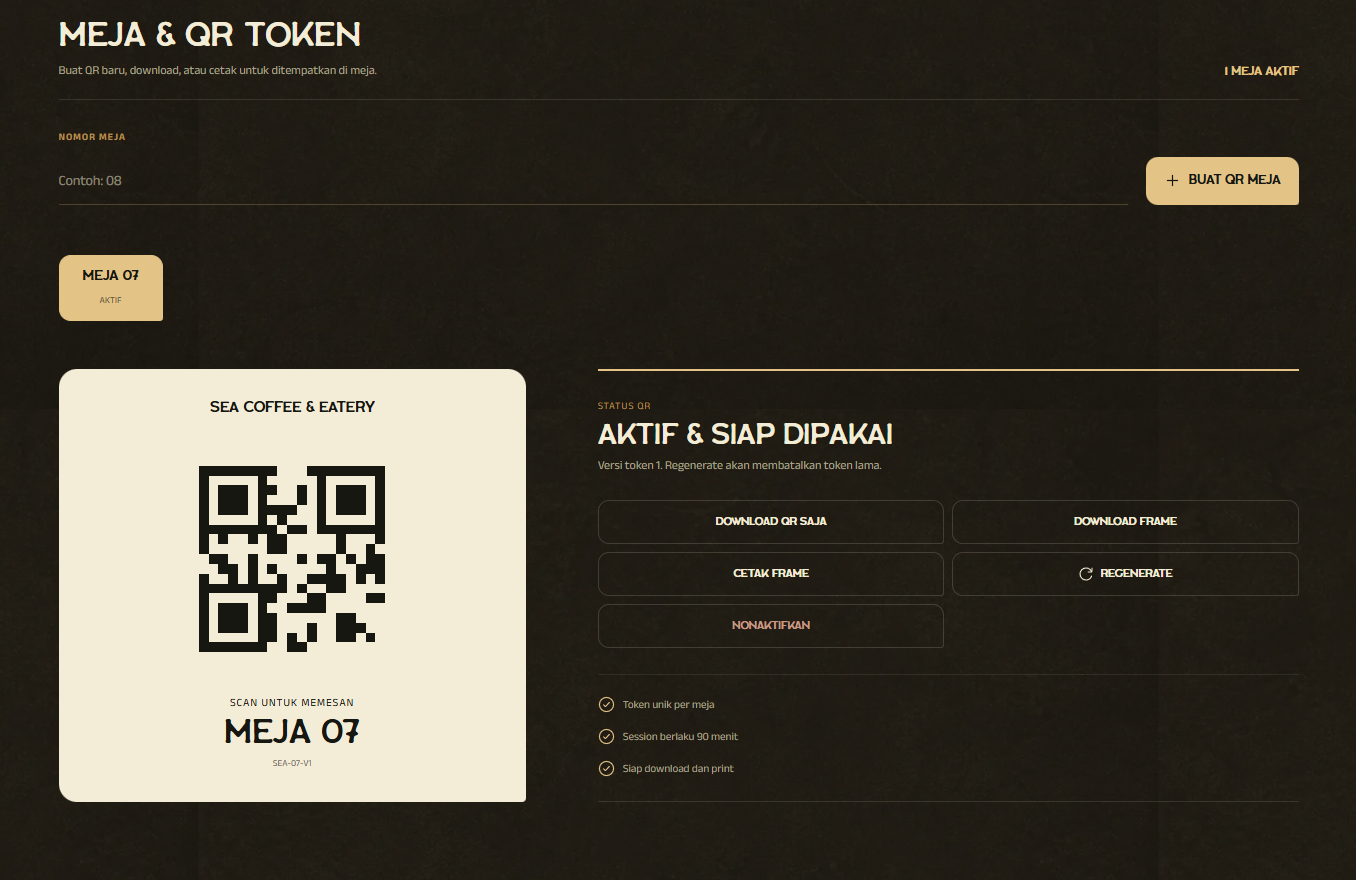
Decisions Behind the Work
A single table order should retain its context from the customer's selection to the owner's records.
- Start with the table context
Ordering can be direct without asking customers to create an account.
A unique QR token and temporary session open the right menu context. Items, quantities, variants and notes travel with the order instead of being repeated at the cashier.
- Make each handoff explicit
Payment approval separates an order request from production work.
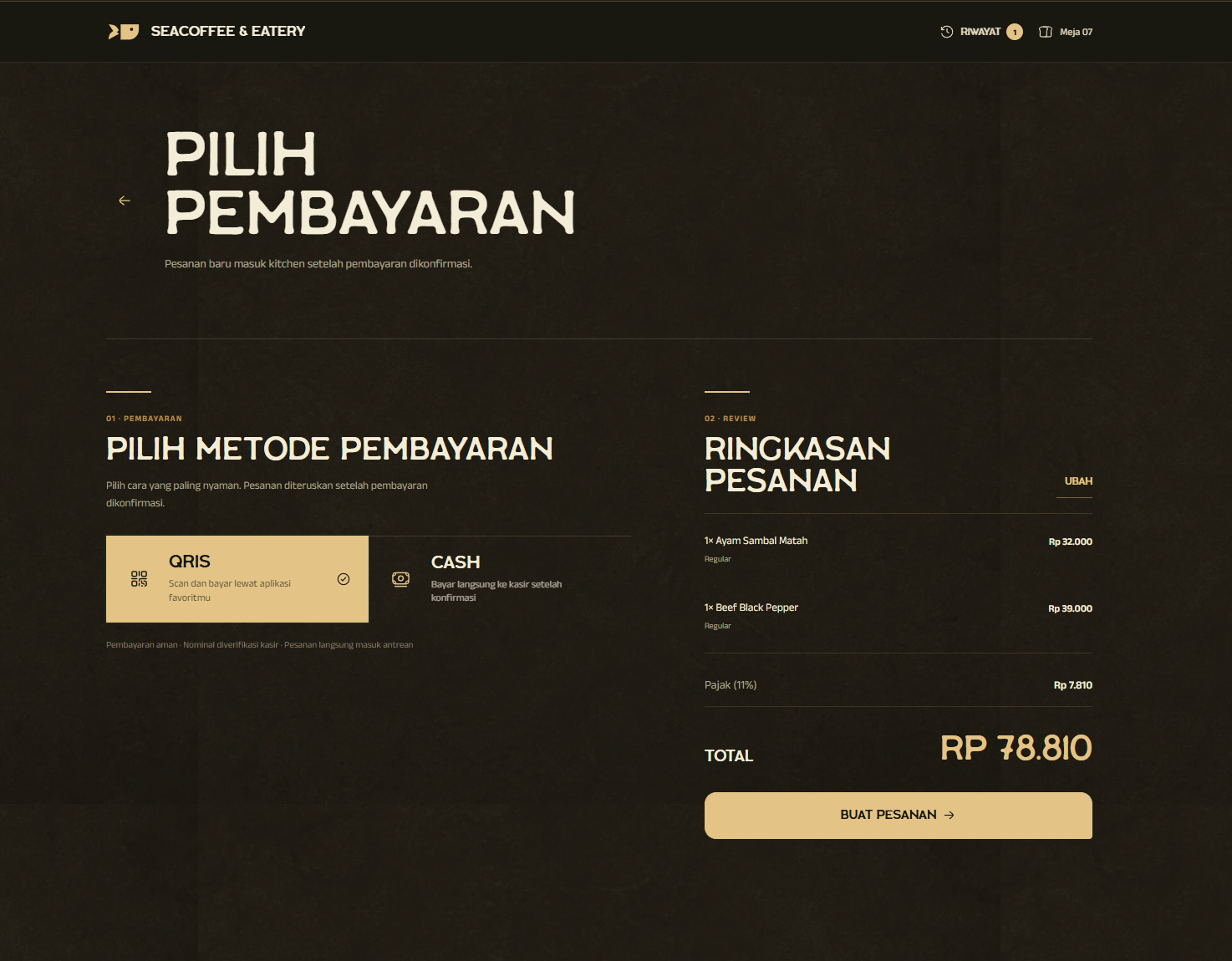
Cashiers verify QRIS or cash before the kitchen advances preparation. Owners retain transaction and menu visibility, keeping the four workspaces connected without giving every role the same controls.
The Solution
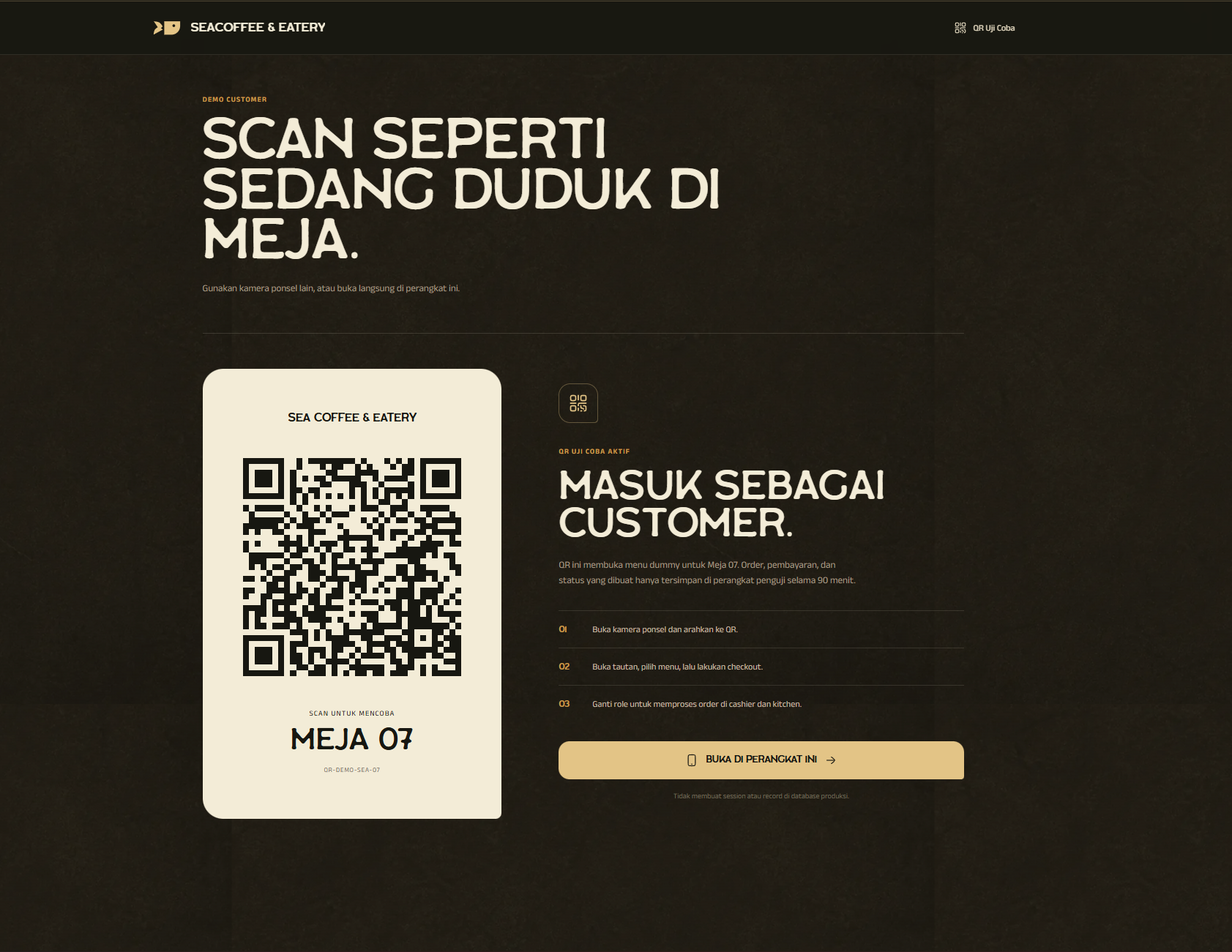
We designed a protected table-QR journey that opens the correct menu context without requiring an account. Customers choose items, variants, quantities, and notes before paying with QRIS or cash. Cashiers verify payment. Kitchen staff move paid orders through production. Owners manage menus, table tokens, staff access, transactions, and reports from one system.
What we delivered
- Product strategy
- QR table ordering
- Role-based operations
- Payment workflow
- Full-stack development
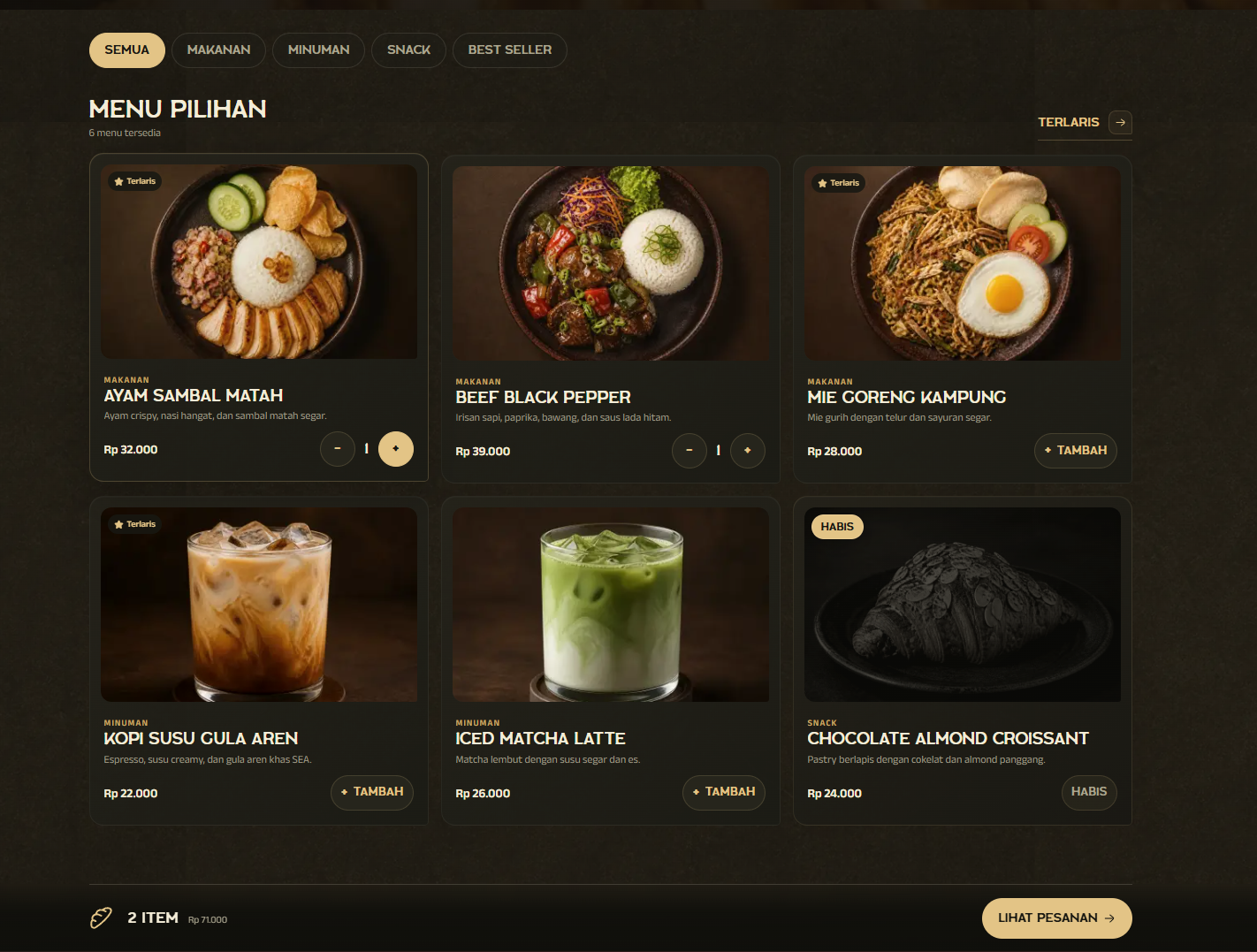
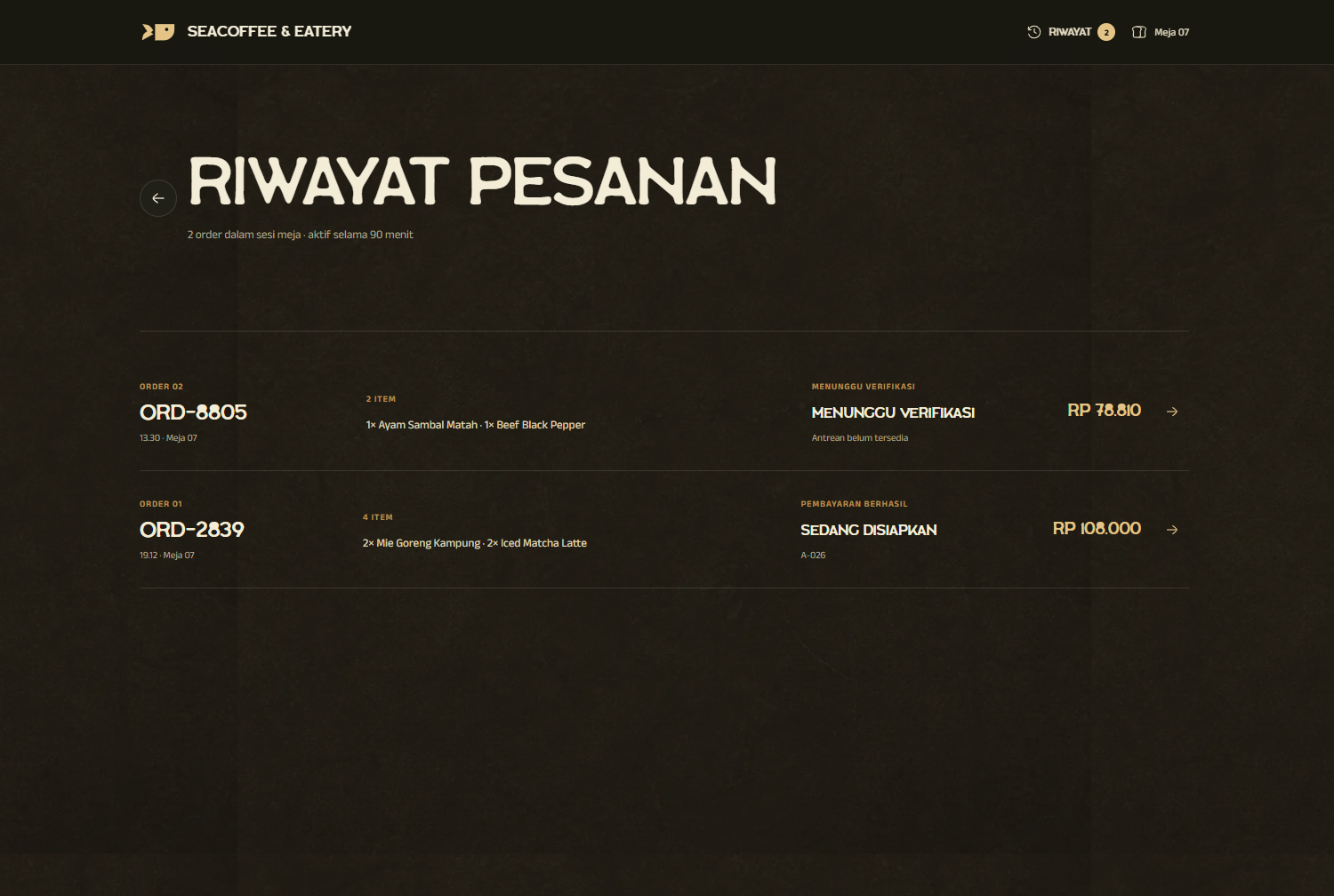
One scan starts the right table session.
A unique QR token opens the correct table context and temporary session, allowing customers to order without creating an account.
- Unique table token
- Temporary session
- No customer account
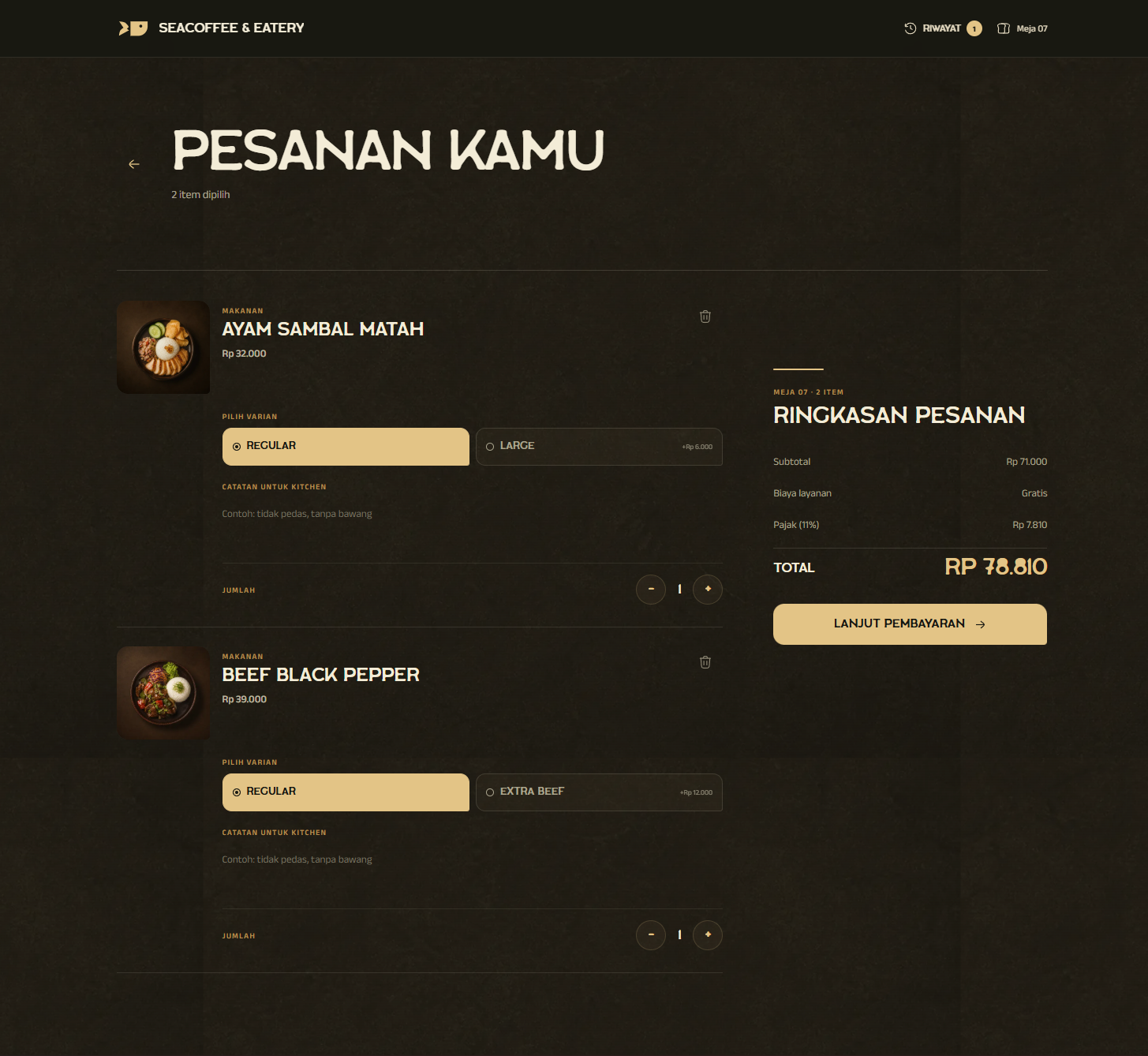
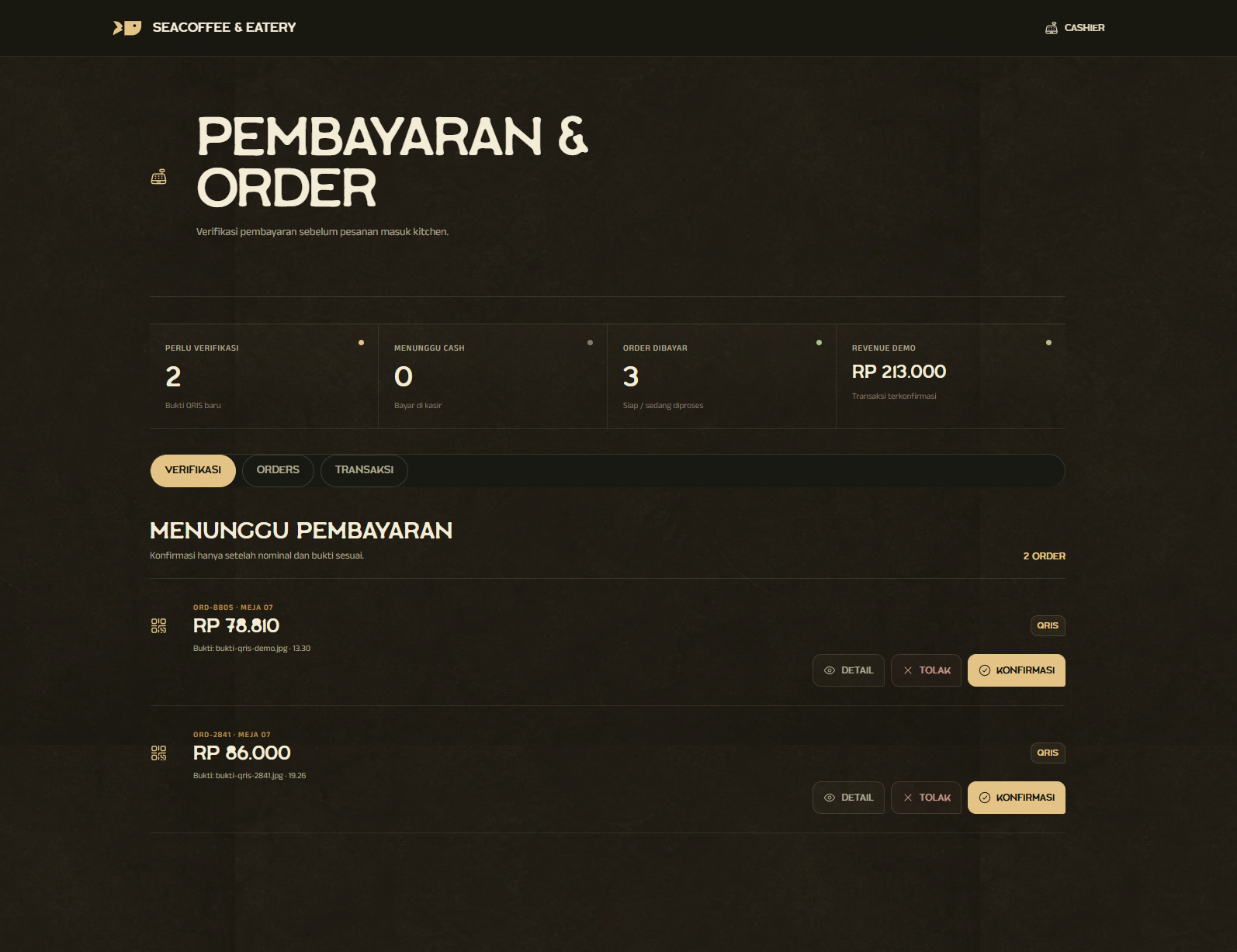
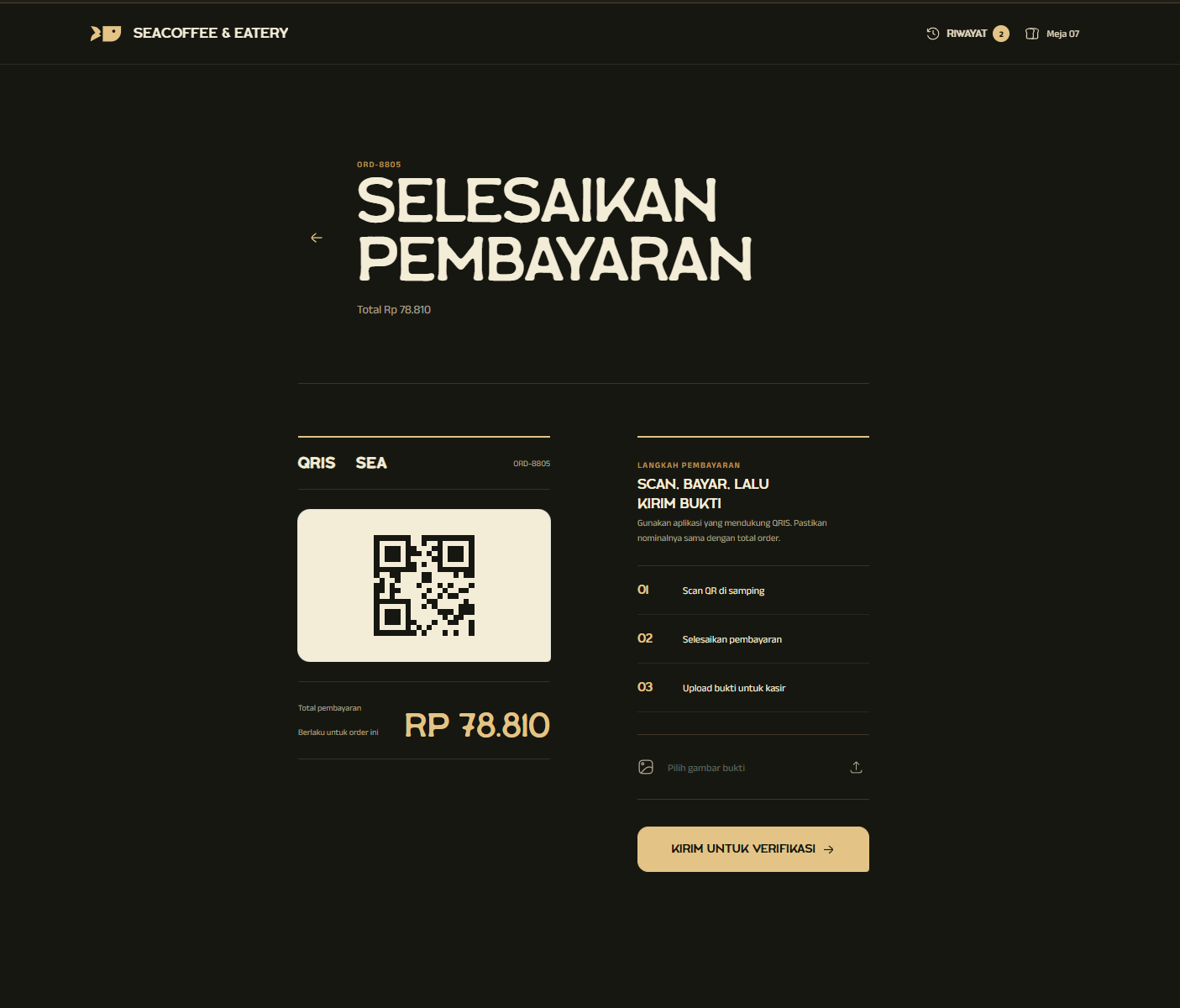
Payment protects the kitchen queue.
QRIS proof or cash confirmation must pass through the cashier before an order becomes actionable work for the kitchen.
- Customer checkout
- Cashier verification
- Kitchen release
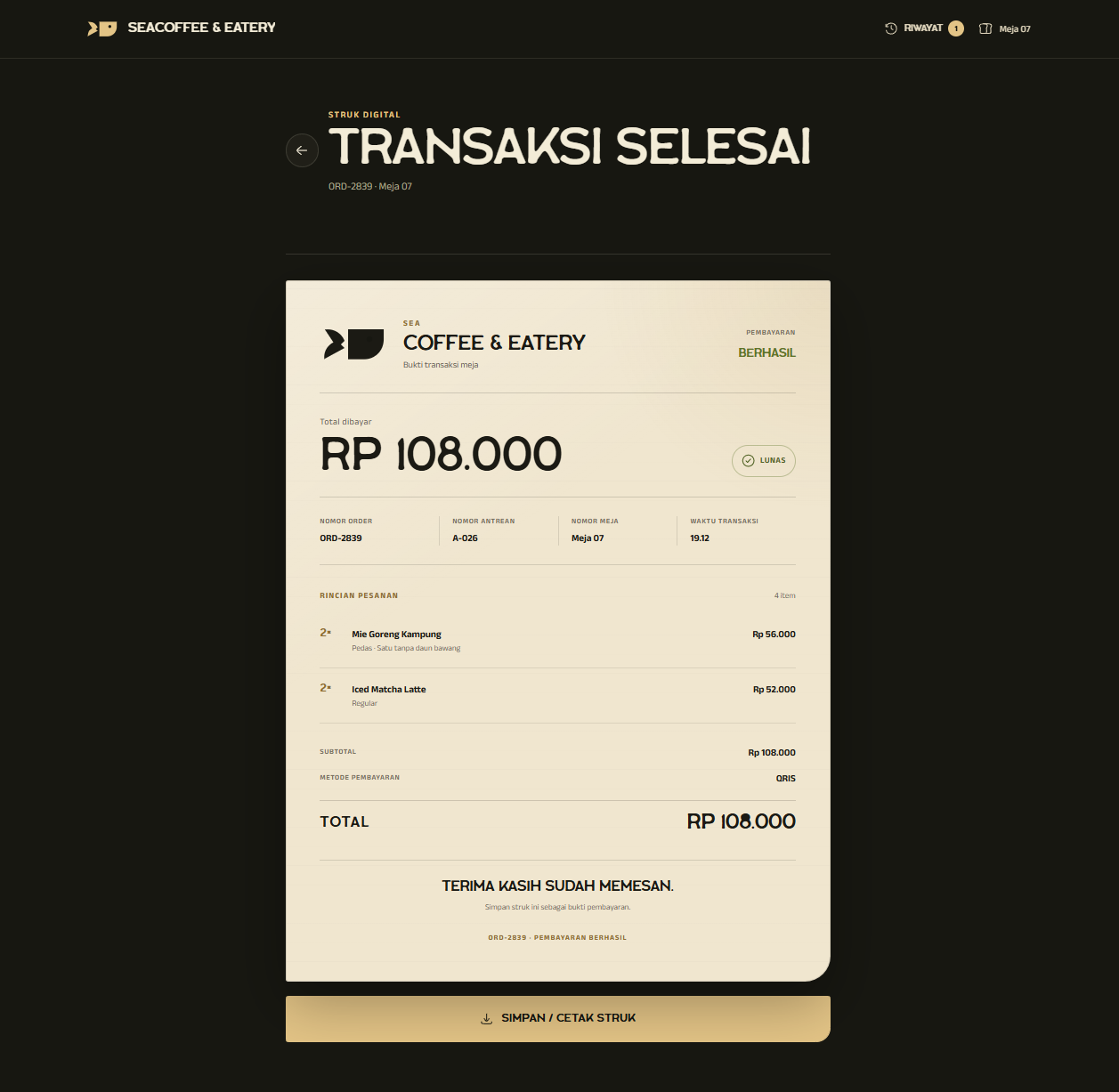
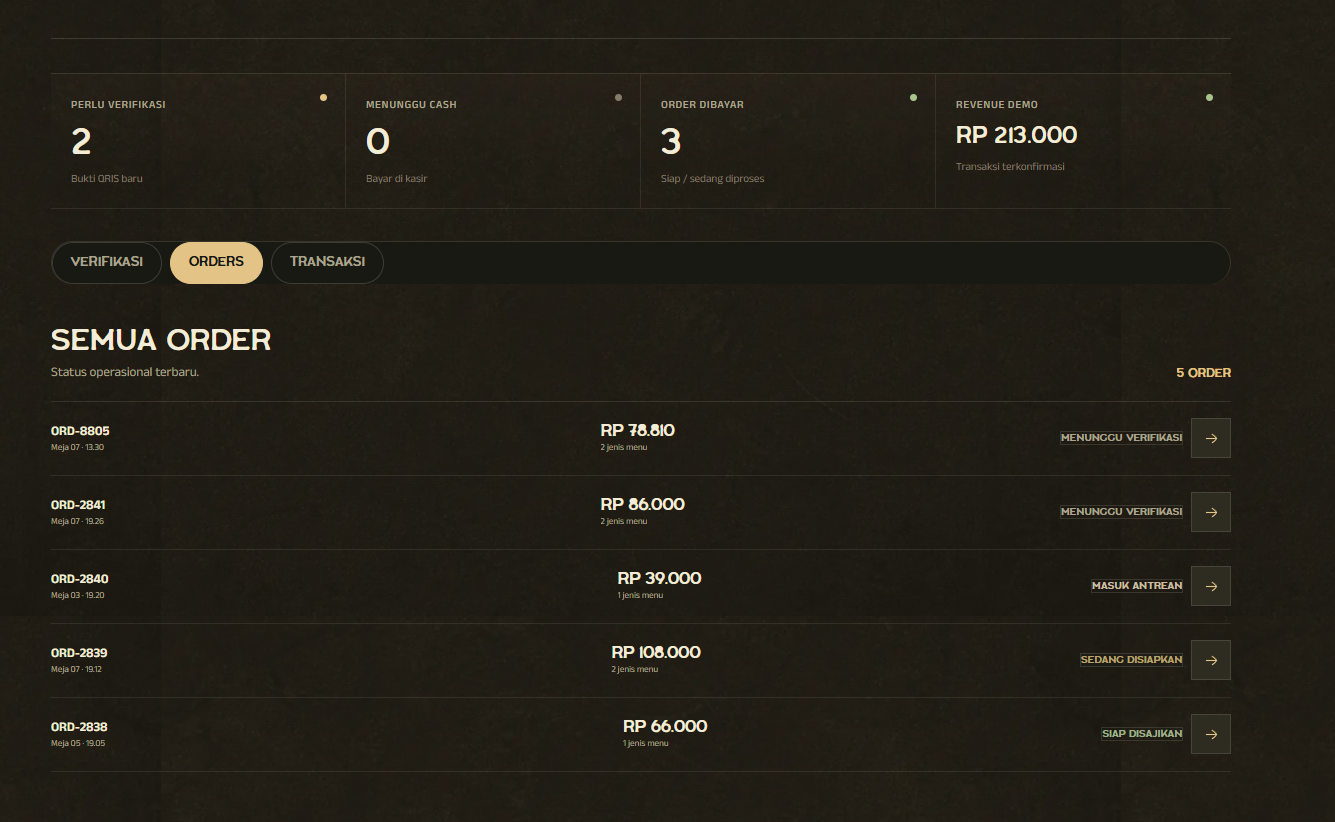
Four roles, one live order record.
Customer, cashier, kitchen, and owner views stay synchronized around the same order instead of reconstructing context at every handoff.
- Customer tracks
- Kitchen updates
- Owner retains history
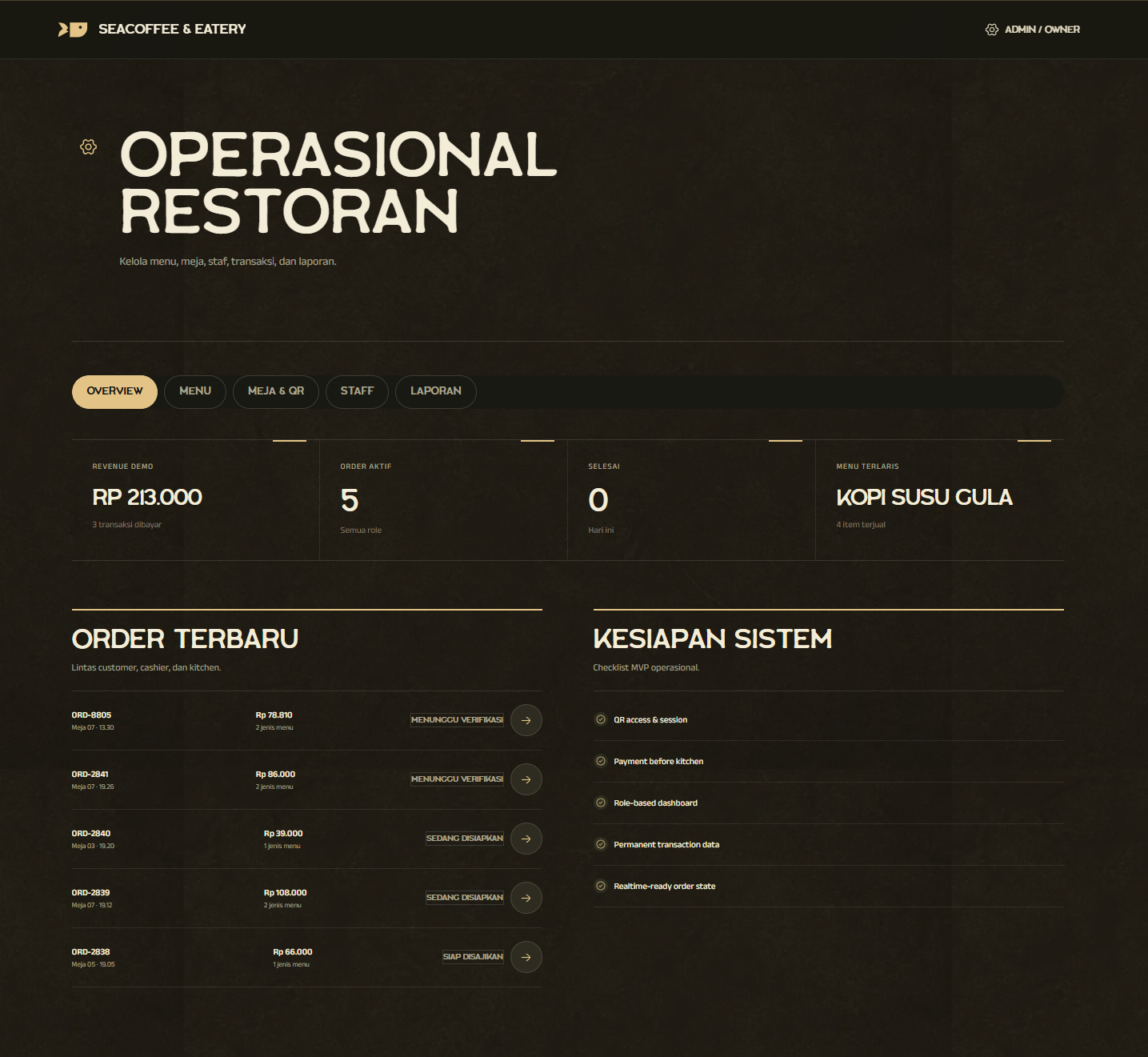
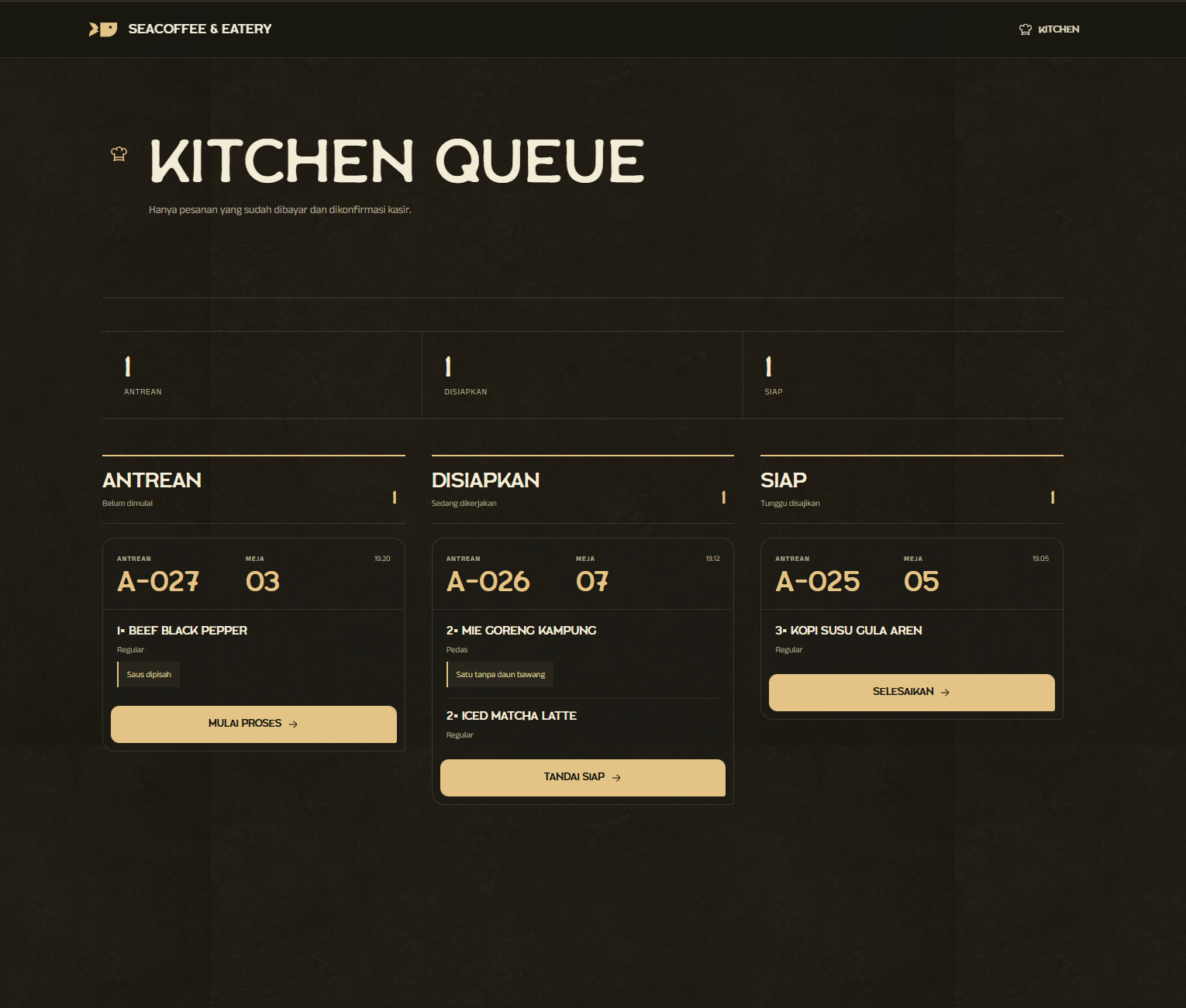
Built Around Its Users
Customer
Table-side ordering
Guests scan a table QR, choose dishes, pay, and follow the same order without waiting for a menu or cashier.
- Open the correct table session
- Order and pay independently
- Track preparation status
Cashier
Payment gate
The cashier verifies proof or records cash before the order is allowed to enter kitchen production.
- Review payment evidence
- Confirm or reject orders
- Keep transaction history
Kitchen
Live production queue
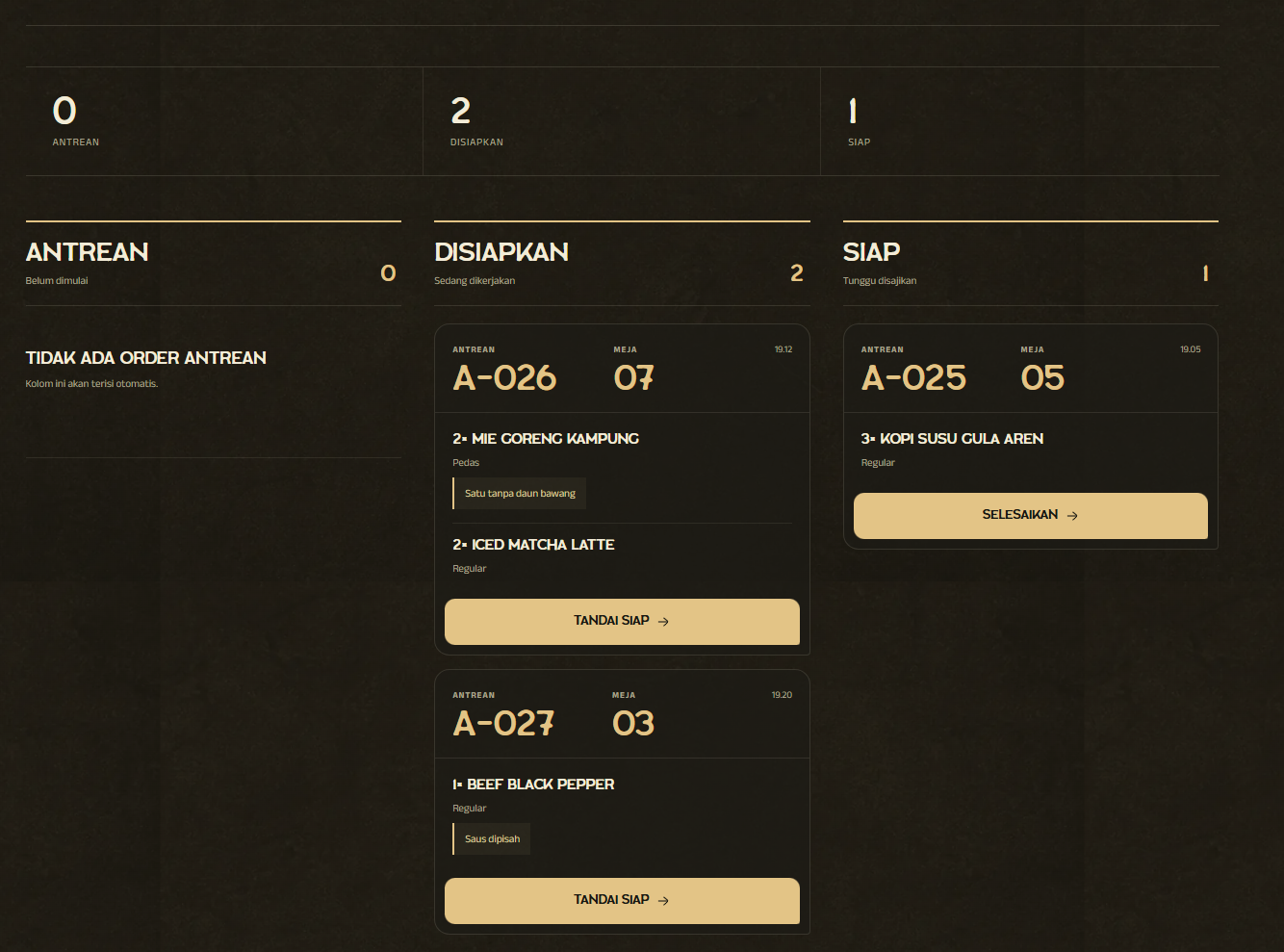
Only paid orders reach the kitchen, organized by preparation status with notes kept beside each item.
- Receive verified orders
- Move tickets through stages
- Preserve item notes
Owner / Admin
Restaurant operations
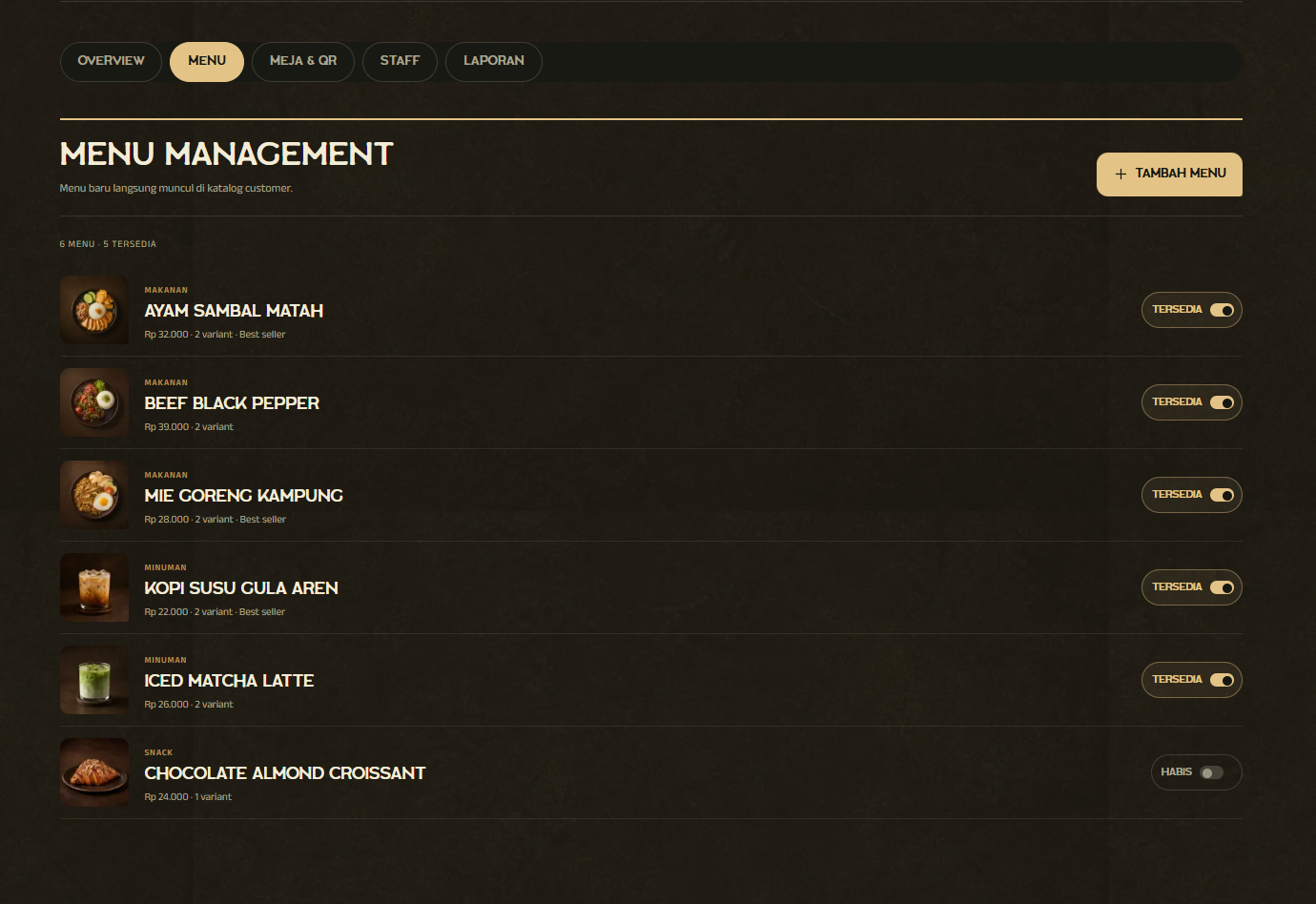
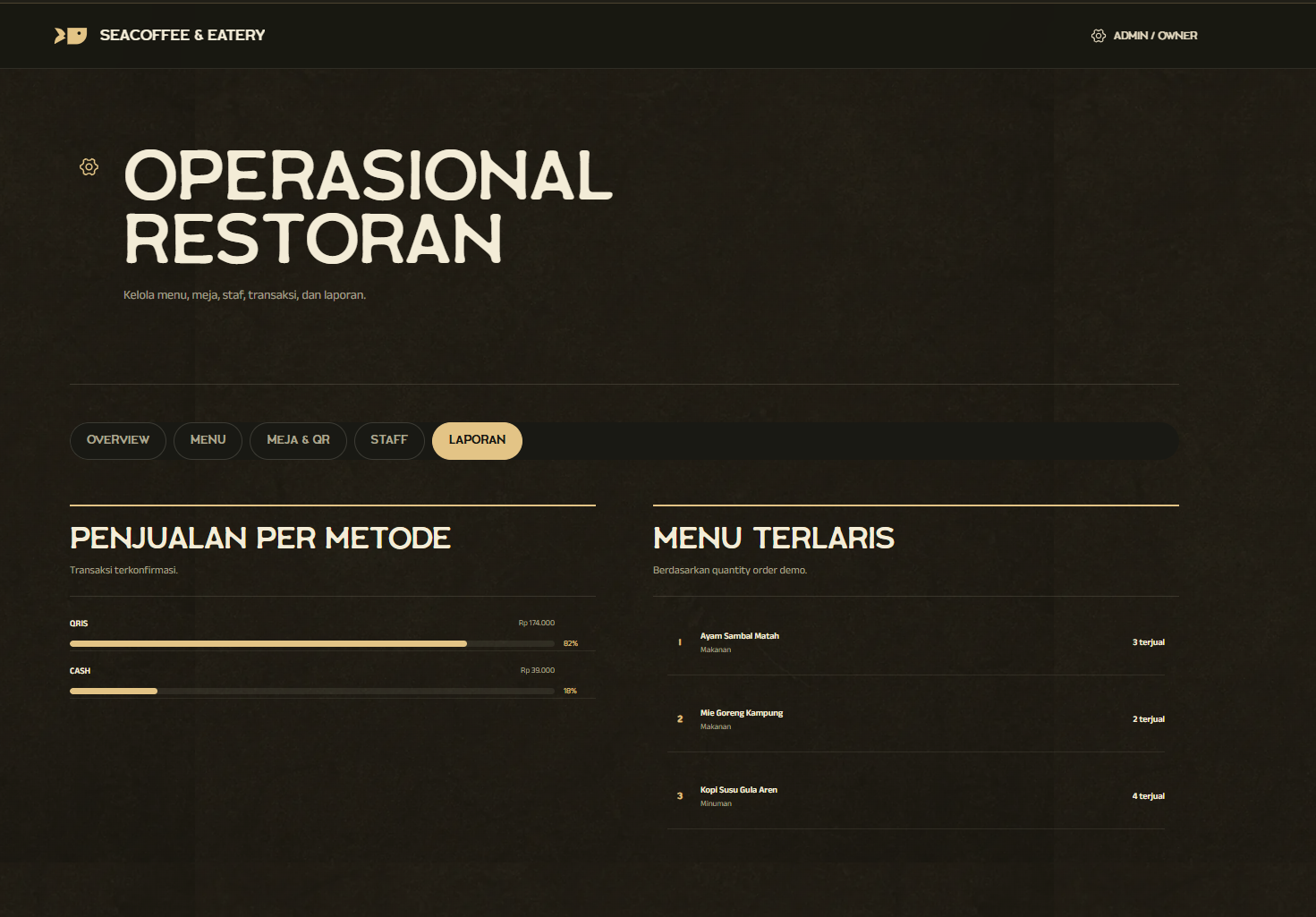
The owner controls menus, table QR access, staff, transactions, and reporting from one operational workspace.
- Manage menu availability
- Control tables and staff
- Read sales reports
“A restaurant moves faster when every role acts on the same order instead of reconstructing it at every handoff.”
Impact
A table-first QR ordering system that connects customer selection, payment verification, kitchen production, and owner operations in one live order flow.
- Connected role workspaces
- 4
- Payment-to-kitchen order record
- 1
- Customer accounts required
- 0