
Project Overview
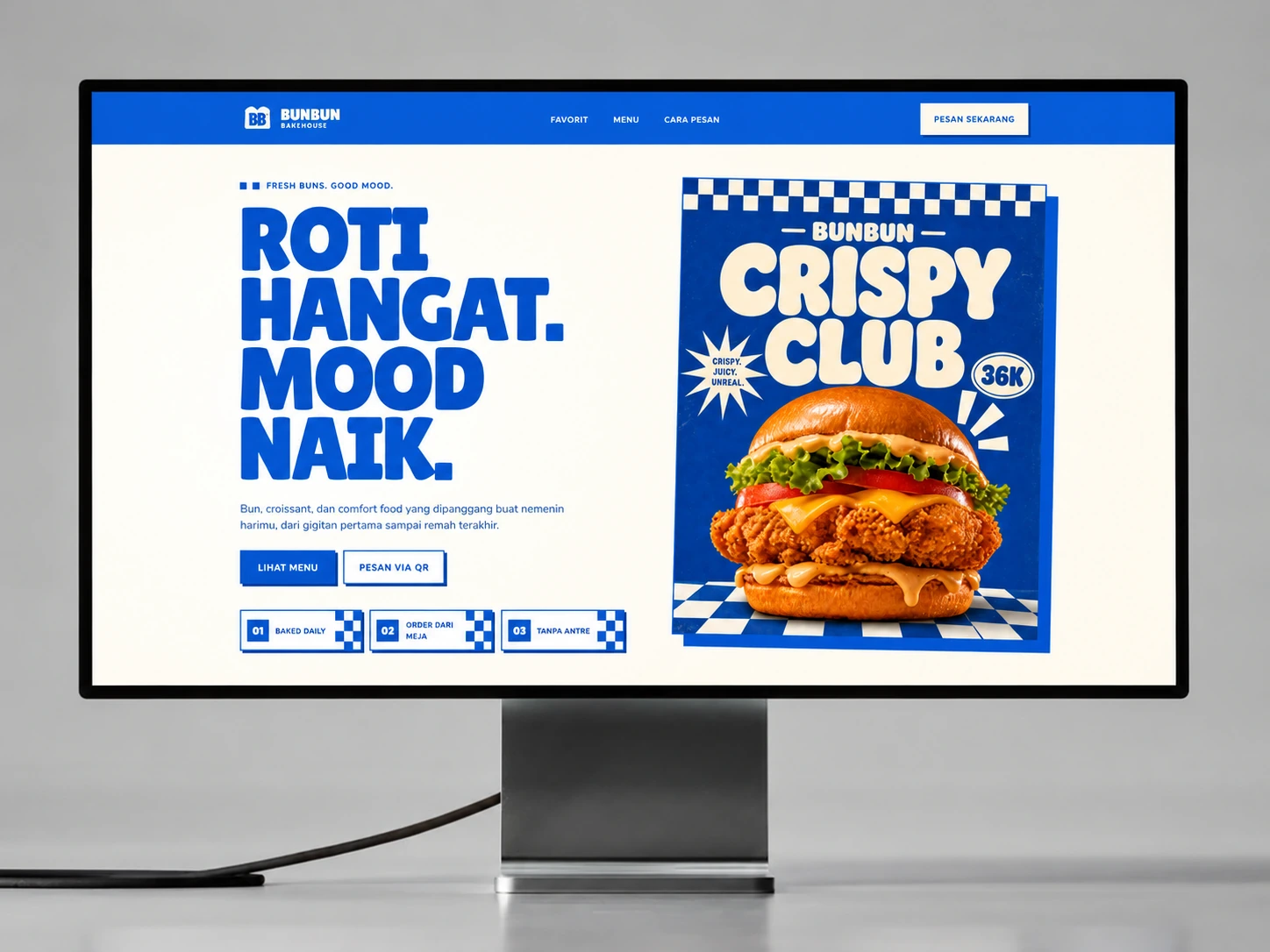
A branded restaurant QR ordering system that adds named participants, item ownership, three split-bill modes, per-person payment progress, and live preparation estimates to a connected four-role operation.
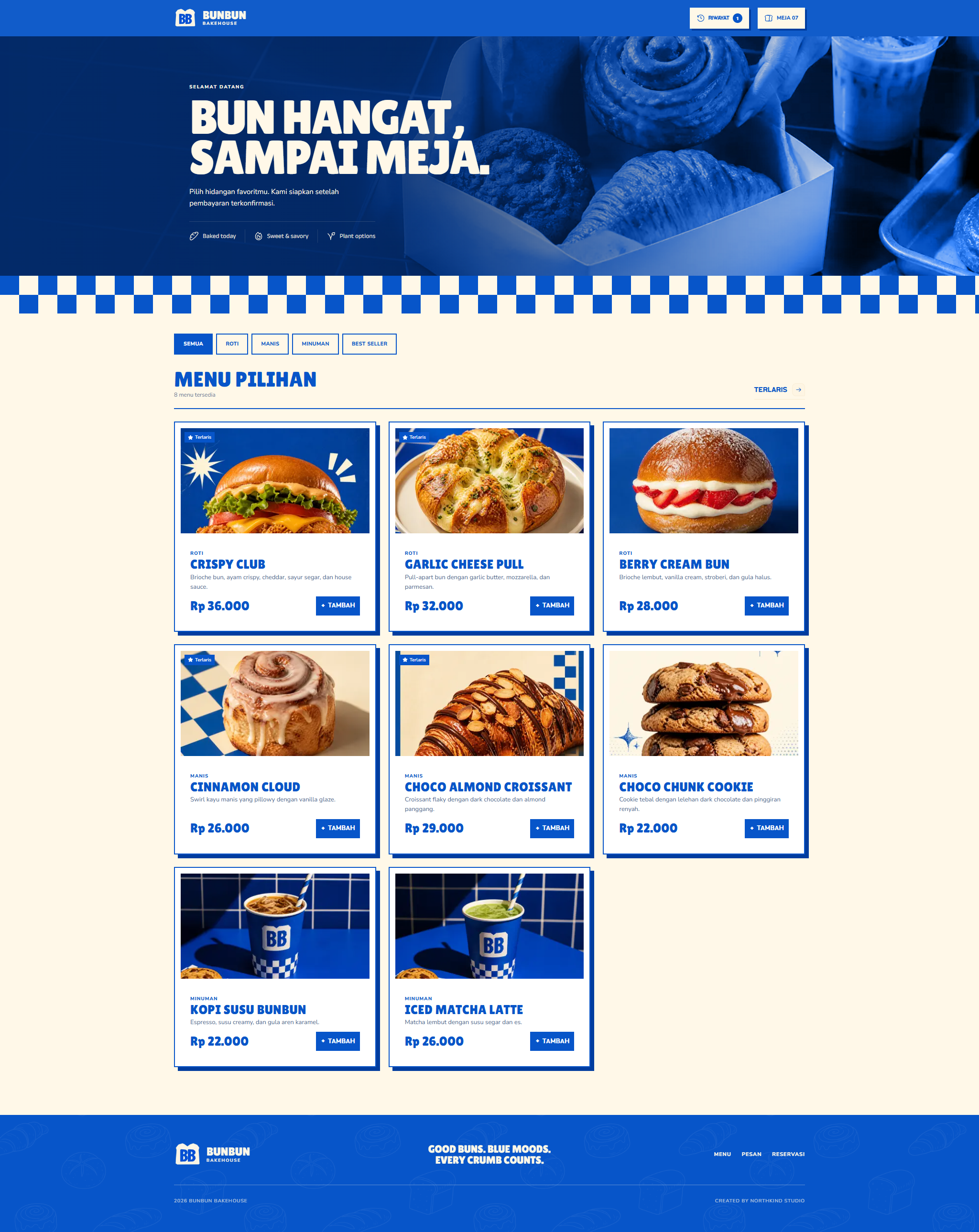
Bunbun extends a proven four-role restaurant ordering foundation for shared tables. A group can keep one order while naming participants, assigning items, selecting a split method, completing individual shares, and following one kitchen-linked status with a live preparation estimate.
The Challenge
Group tables expose a gap in basic QR ordering. One cart does not automatically explain who owns each item, how the total should be divided, who has already paid, or when the combined order can safely move into production. Staff often reconstruct those details at the cashier during the busiest part of service.
Priorities and constraints
- Keep participant ownership attached to every item and Rupiah total
- Support one payment, equal split, and per-item billing inside one table order
- Prevent incomplete payment state from creating an unclear kitchen handoff
- Make preparation status and ETA useful without claiming production realtime infrastructure in the demo
Decisions Behind the Work
One table order needs to retain individual ownership all the way through a shared kitchen handoff.
- Ownership inside the shared cart
Splitting a total starts with knowing who ordered each item.
Participants remain attached to menu items, variants and notes. One payment, equal split and per-item billing are different views of the same table order, rather than separate carts.
- A coherent production ticket
Individual shares still need a clear combined payment state.
Cashiers see payment context before the order moves to the kitchen. Customers follow the shared preparation state and estimate; the demo does not imply production realtime infrastructure beyond its documented scope.
The Solution
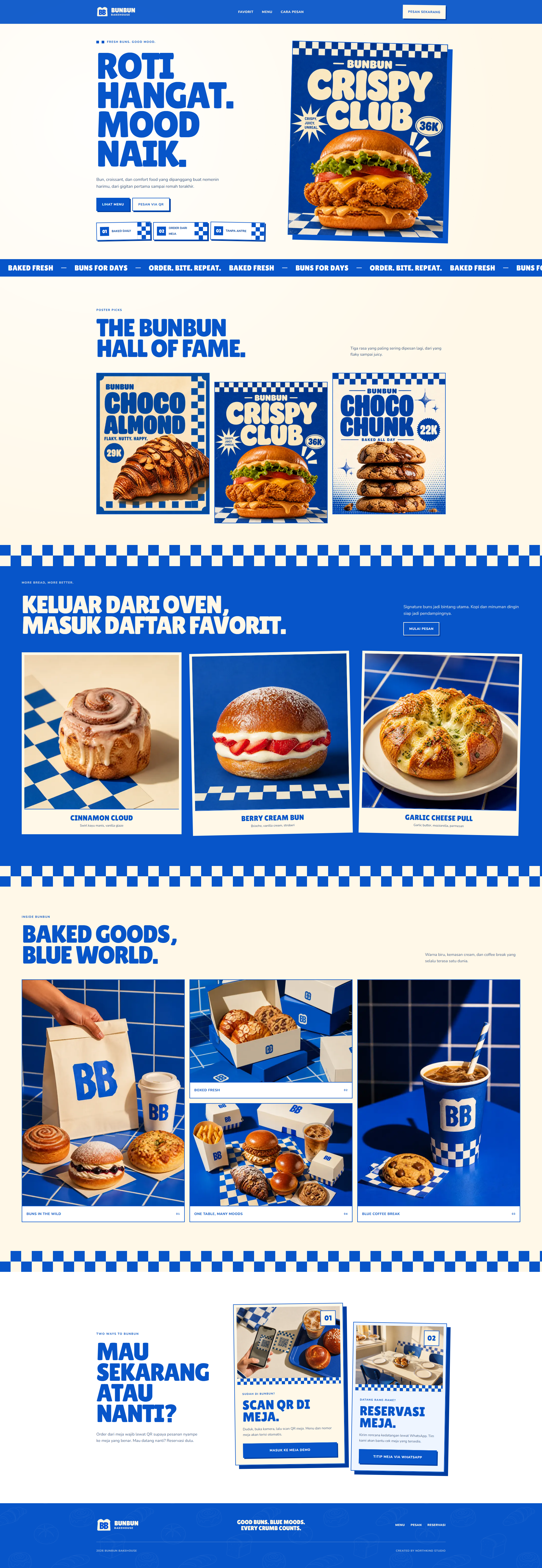
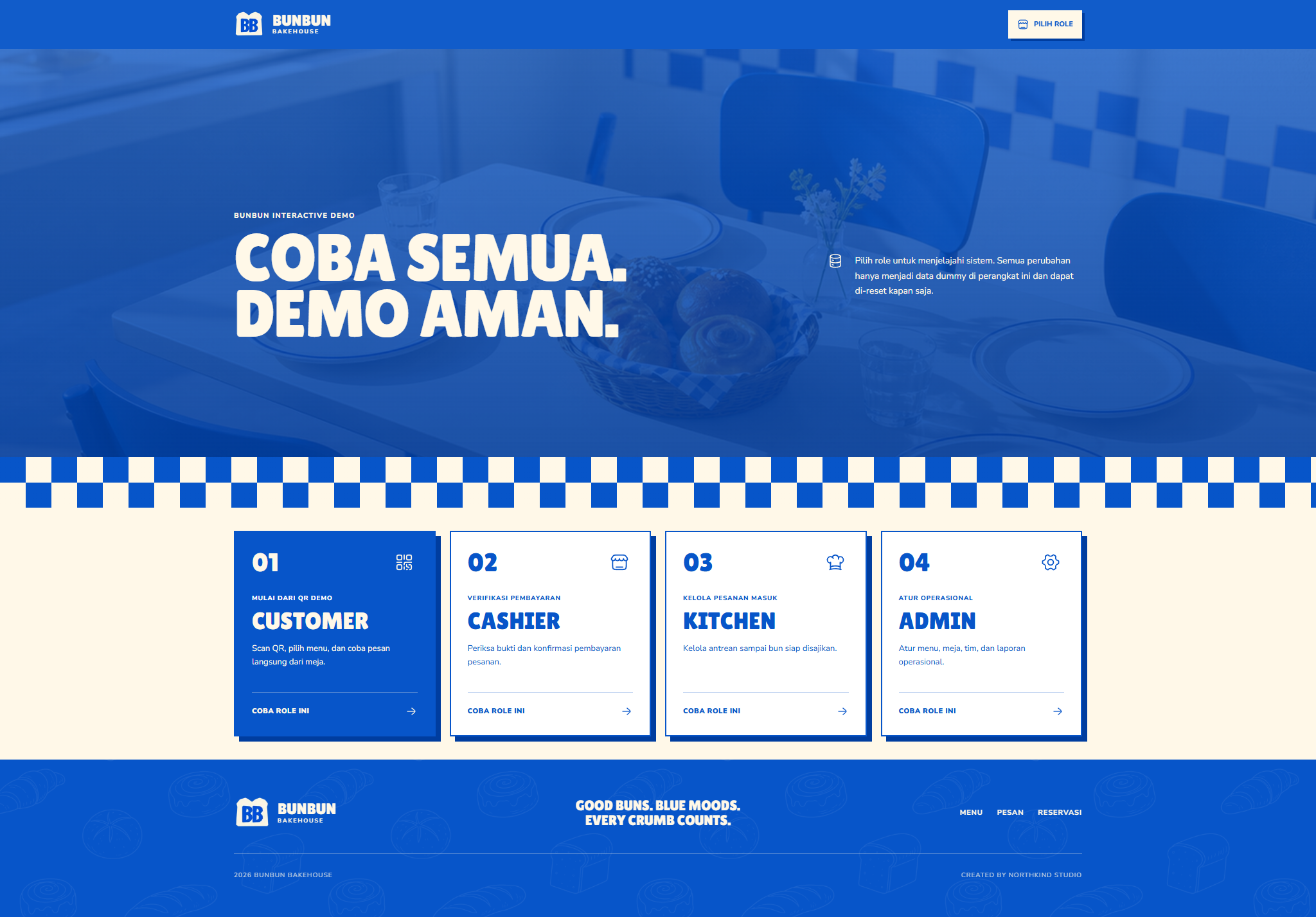
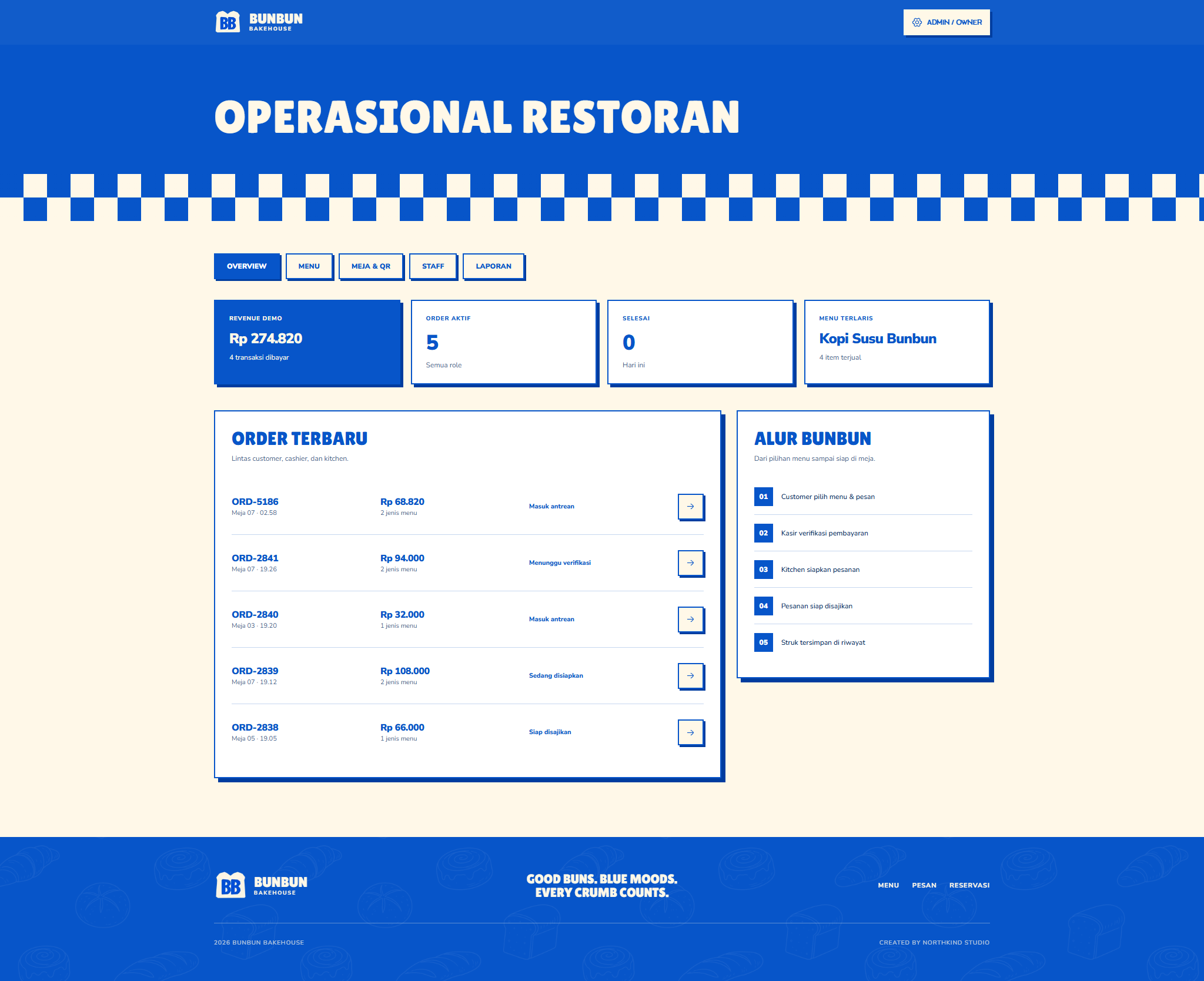
We designed a branded group-ordering journey around one shared table record. Customers add participants, assign menu items, preserve variants and notes, then choose a billing mode and complete each share. Cashiers see payment context, kitchen staff receive one coherent production ticket, customers follow status and ETA, and owners manage menus, QR tokens, staff visibility, transactions, and reports.
What we delivered
- Product strategy
- Group QR ordering
- Split-bill workflow
- Role-based operations
- Full-stack development
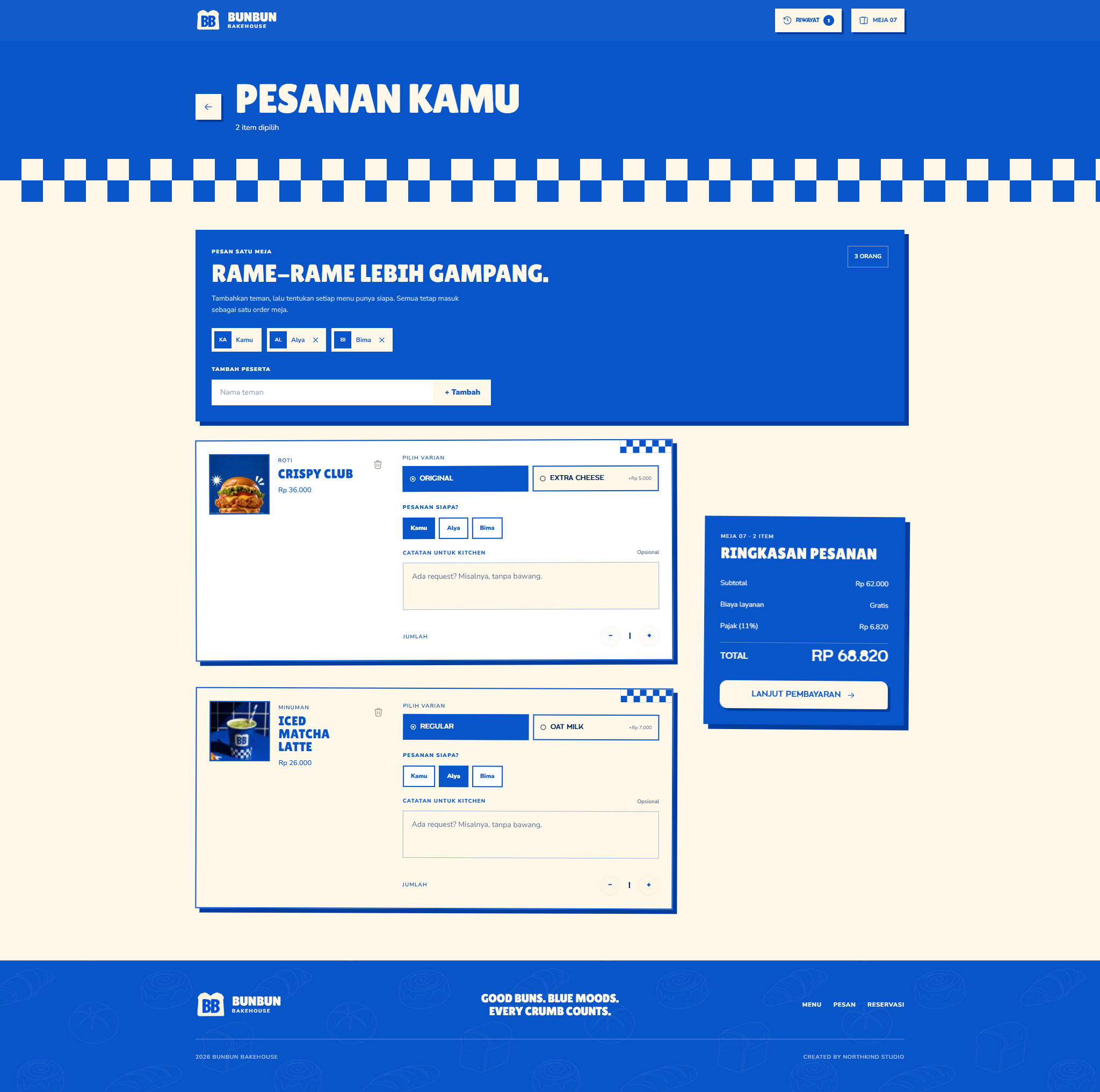
One table order, every item accounted for.
Participants stay attached to the items they selected, including variants and kitchen notes, so the shared cart remains understandable before payment.
- Named participants
- Item ownership
- Individual notes
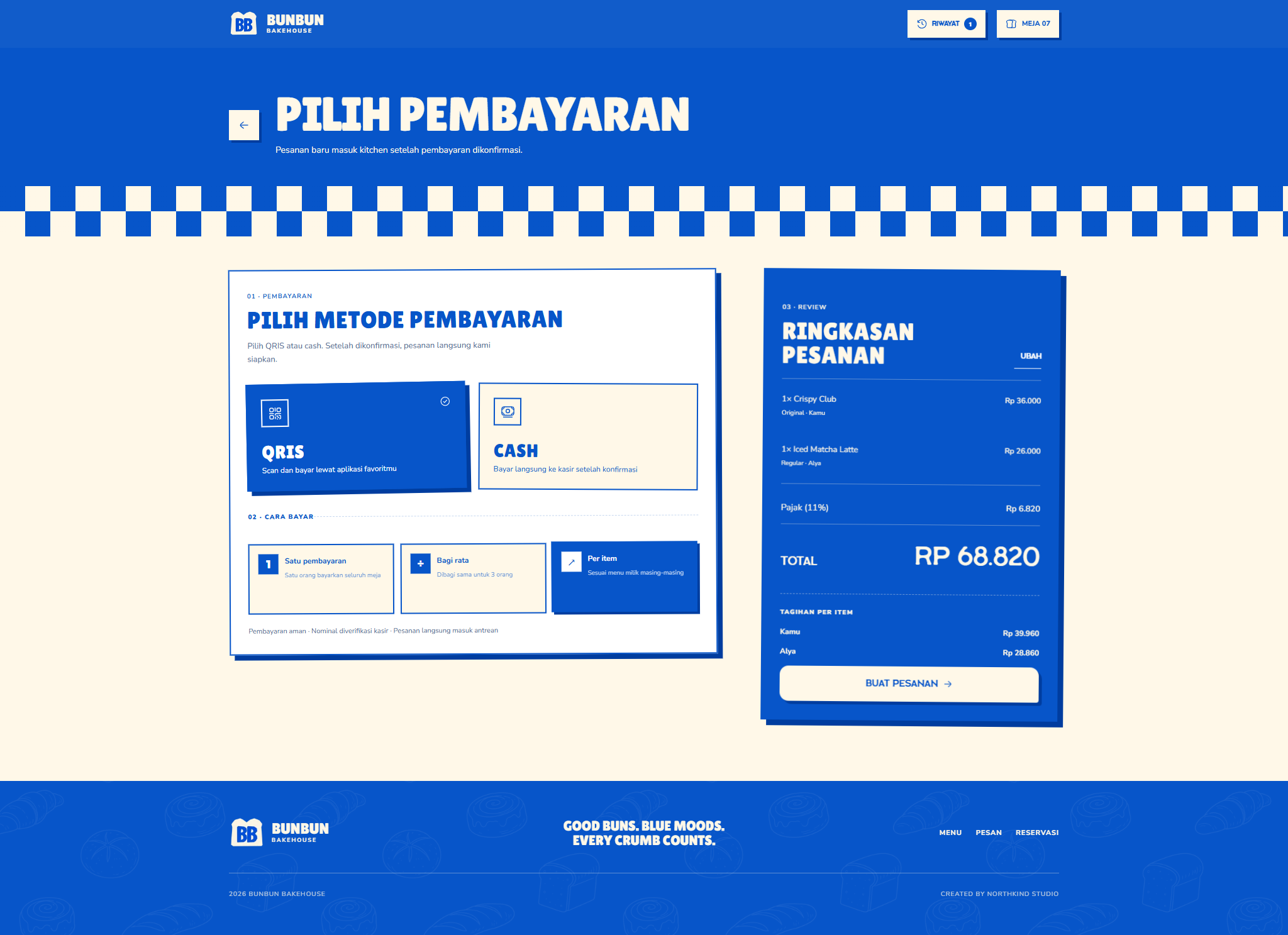
Three ways to pay, one order stays intact.
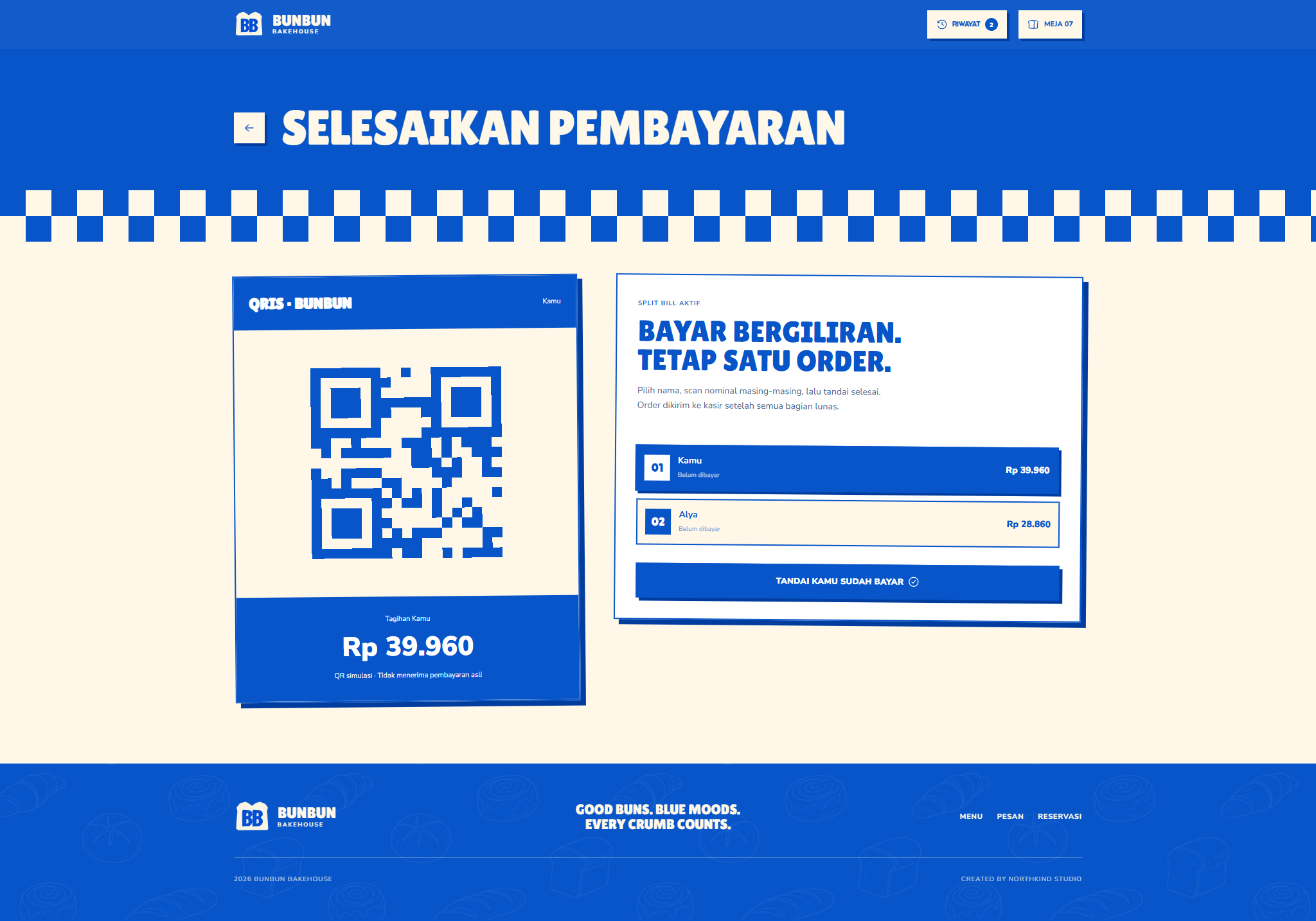
The table can pay together, divide equally, or use item ownership while each participant's progress remains visible inside the same checkout.
- One payment
- Equal split
- Per-item split
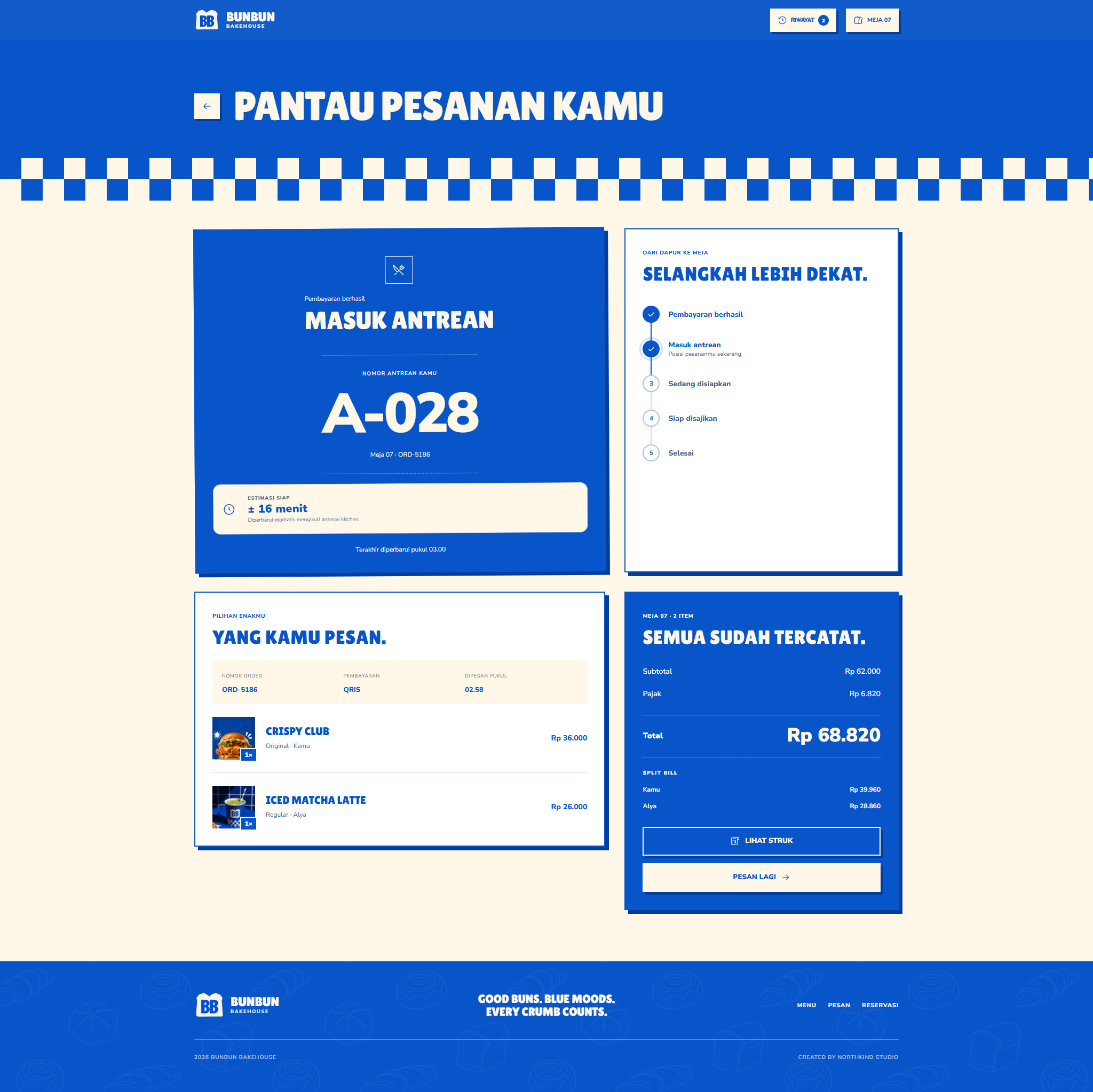
Kitchen progress returns to the table.
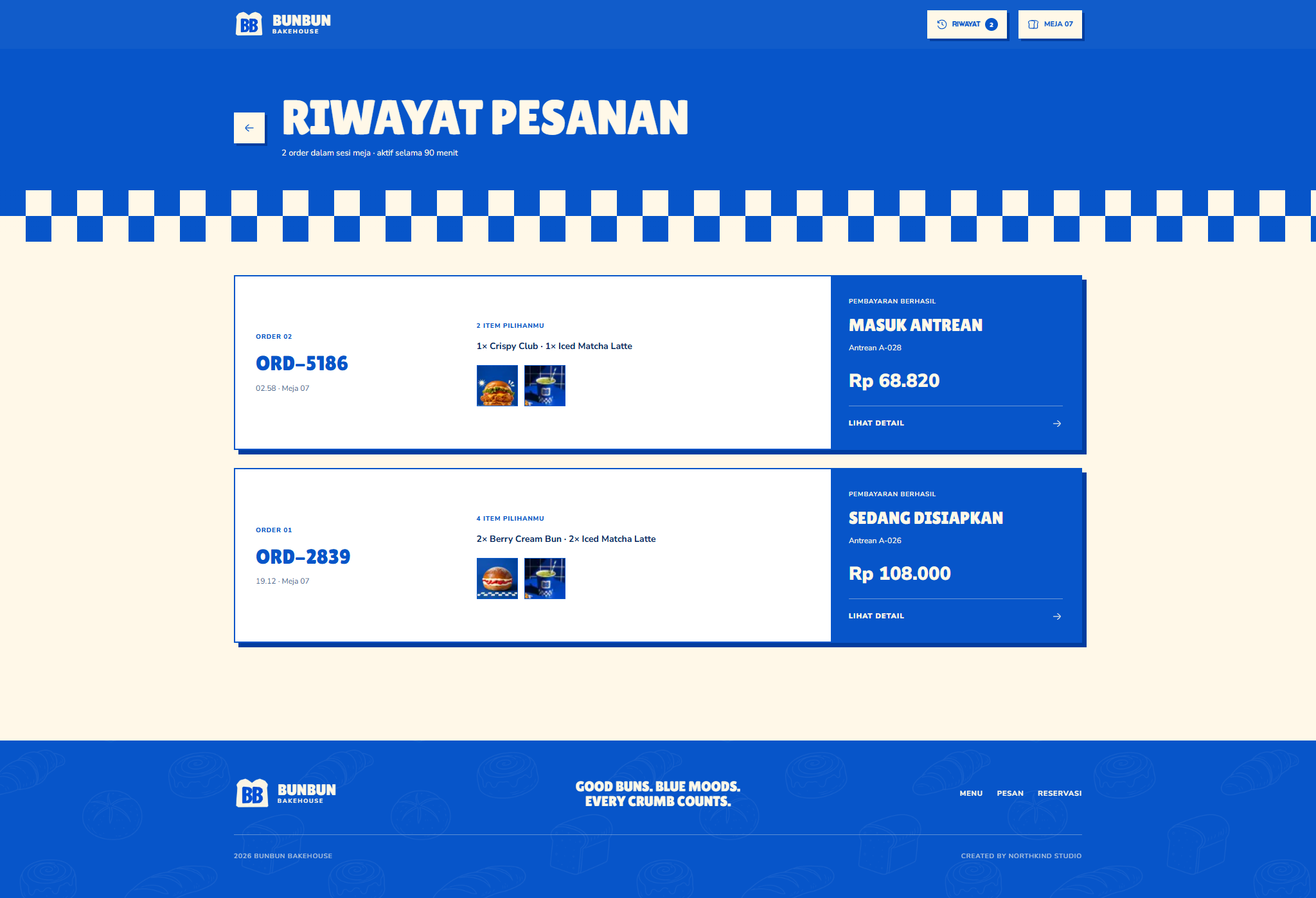
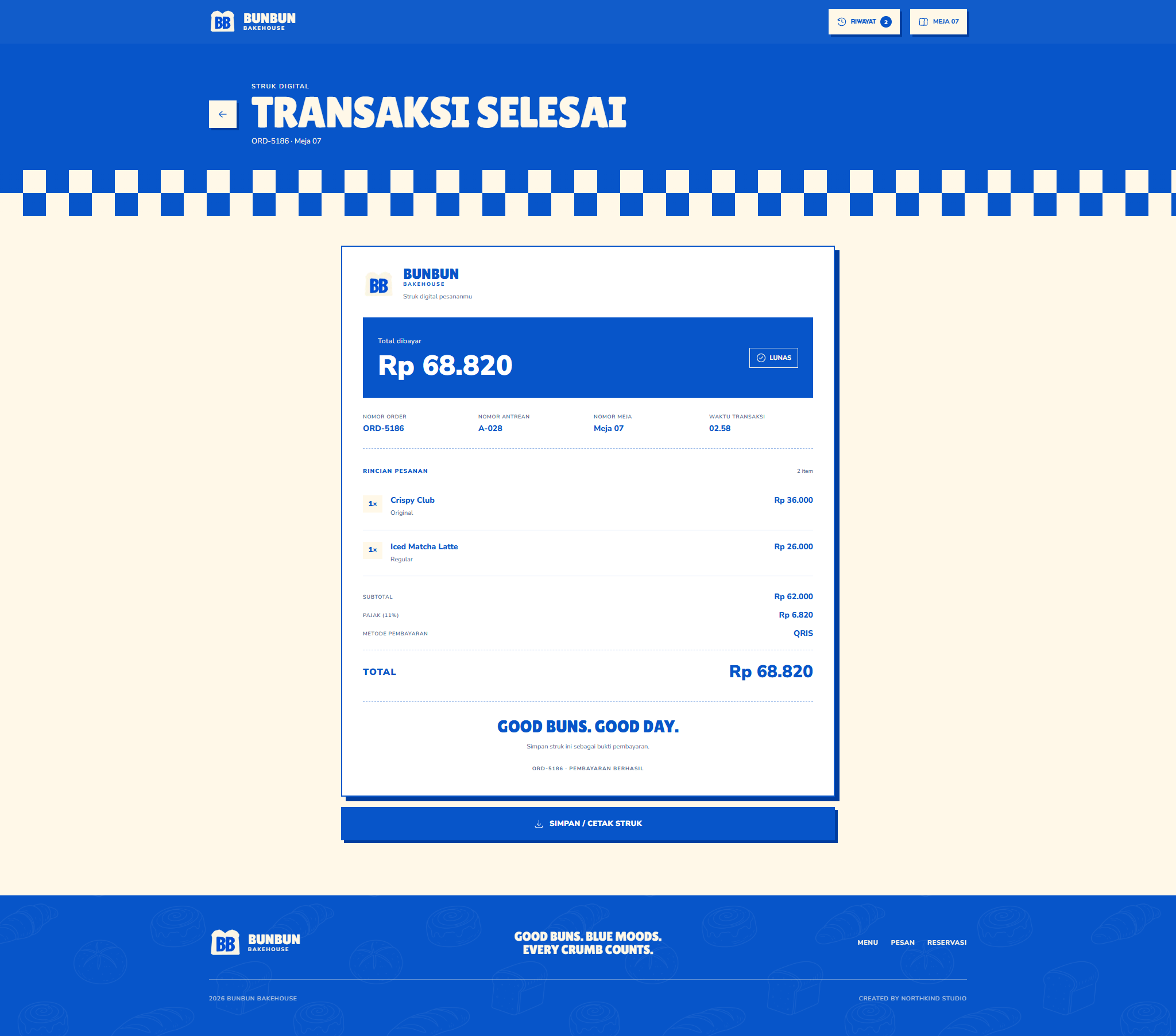
Kitchen stages, order history, a preparation estimate, and a digital receipt close the loop while cashier and owner views retain the complete context.
- Live status
- Preparation ETA
- Digital receipt
Built Around Its Users
Customer group
Shared table order
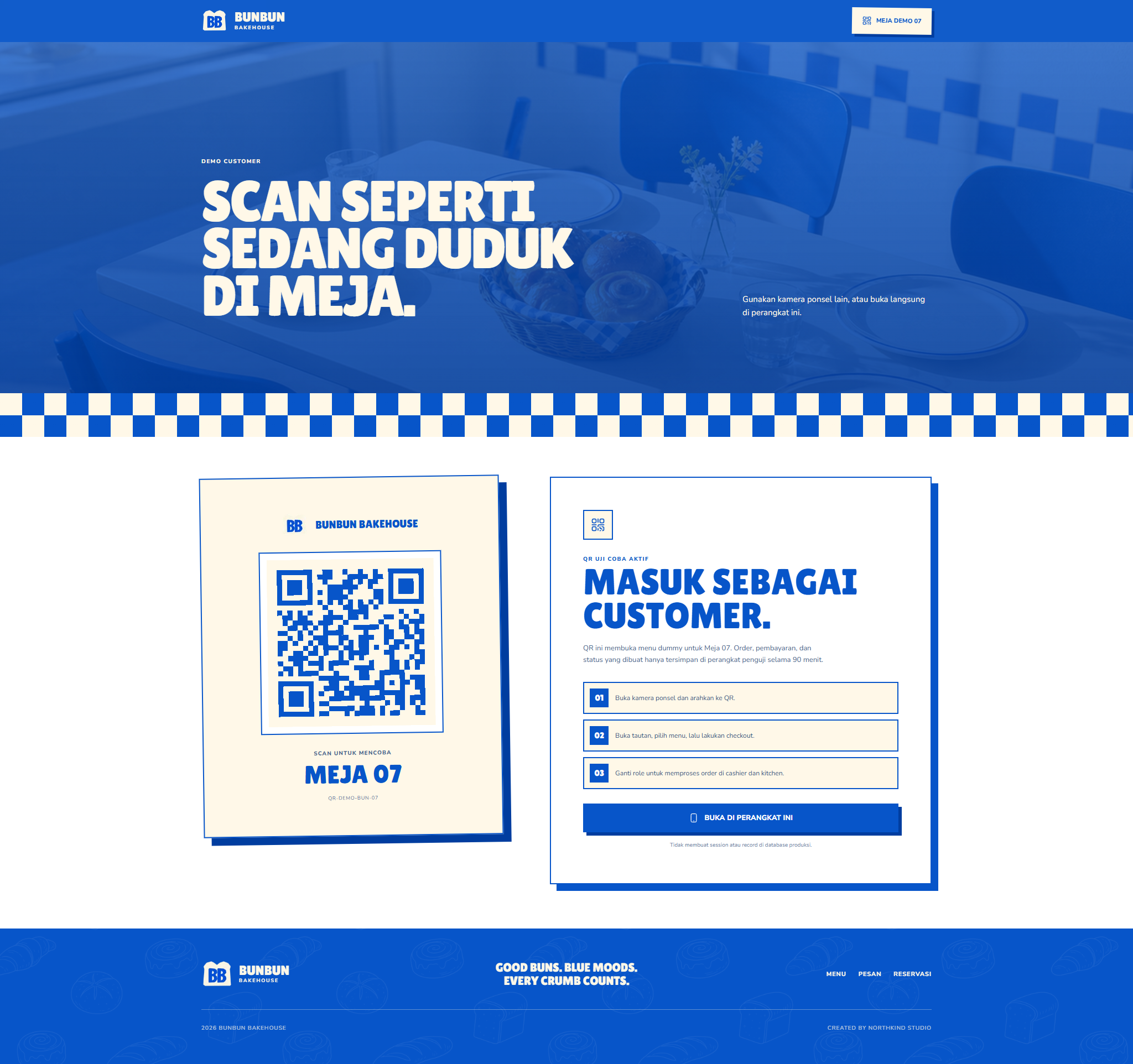
Guests add participants, assign every item, choose how to split the bill, complete their shares, and follow one shared order with a live preparation estimate.
- Assign item ownership
- Choose one of three split modes
- Track each payment share
Cashier
Shared payment gate
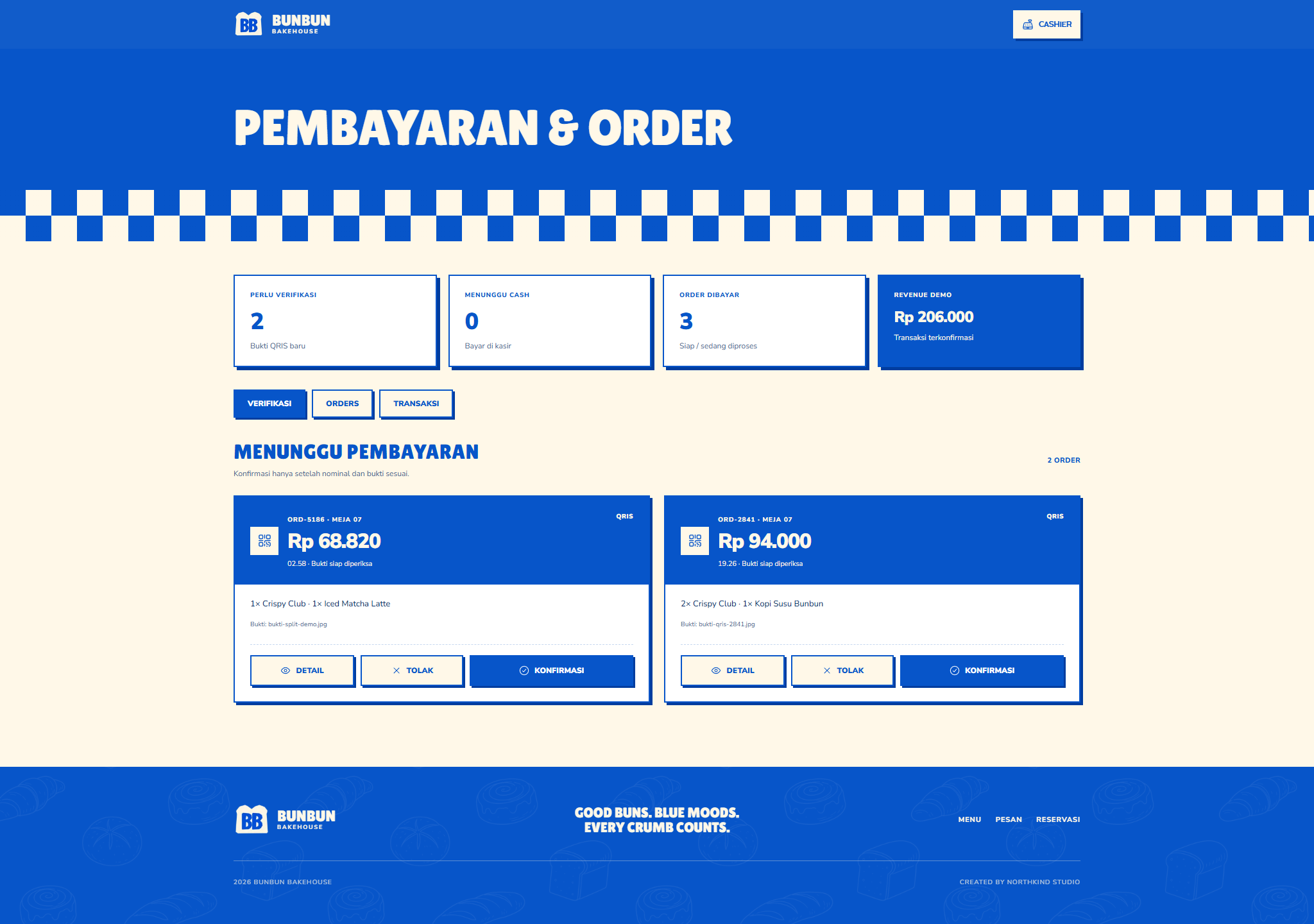
The cashier sees QRIS or cash decisions in the context of the complete table order instead of reconstructing separate bills at the counter.
- Review payment states
- Keep shares attached to one order
- Release a coherent kitchen ticket
Kitchen
Production queue and ETA
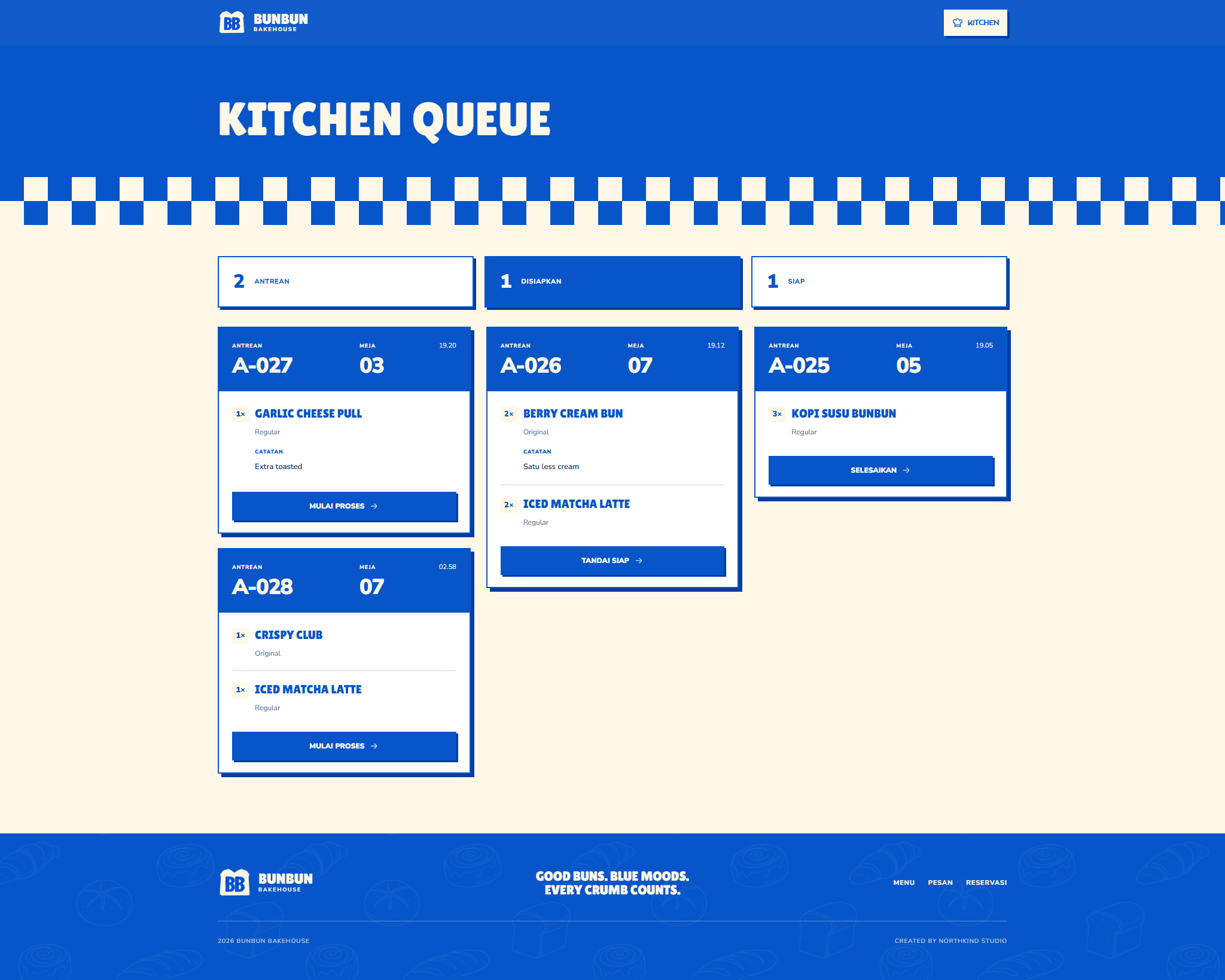
Confirmed items reach the kitchen with variants, ownership context, and notes, while production stages feed a useful estimate back to the table.
- Receive complete item context
- Advance production stages
- Support preparation estimates
Owner / Admin
Branded restaurant operations
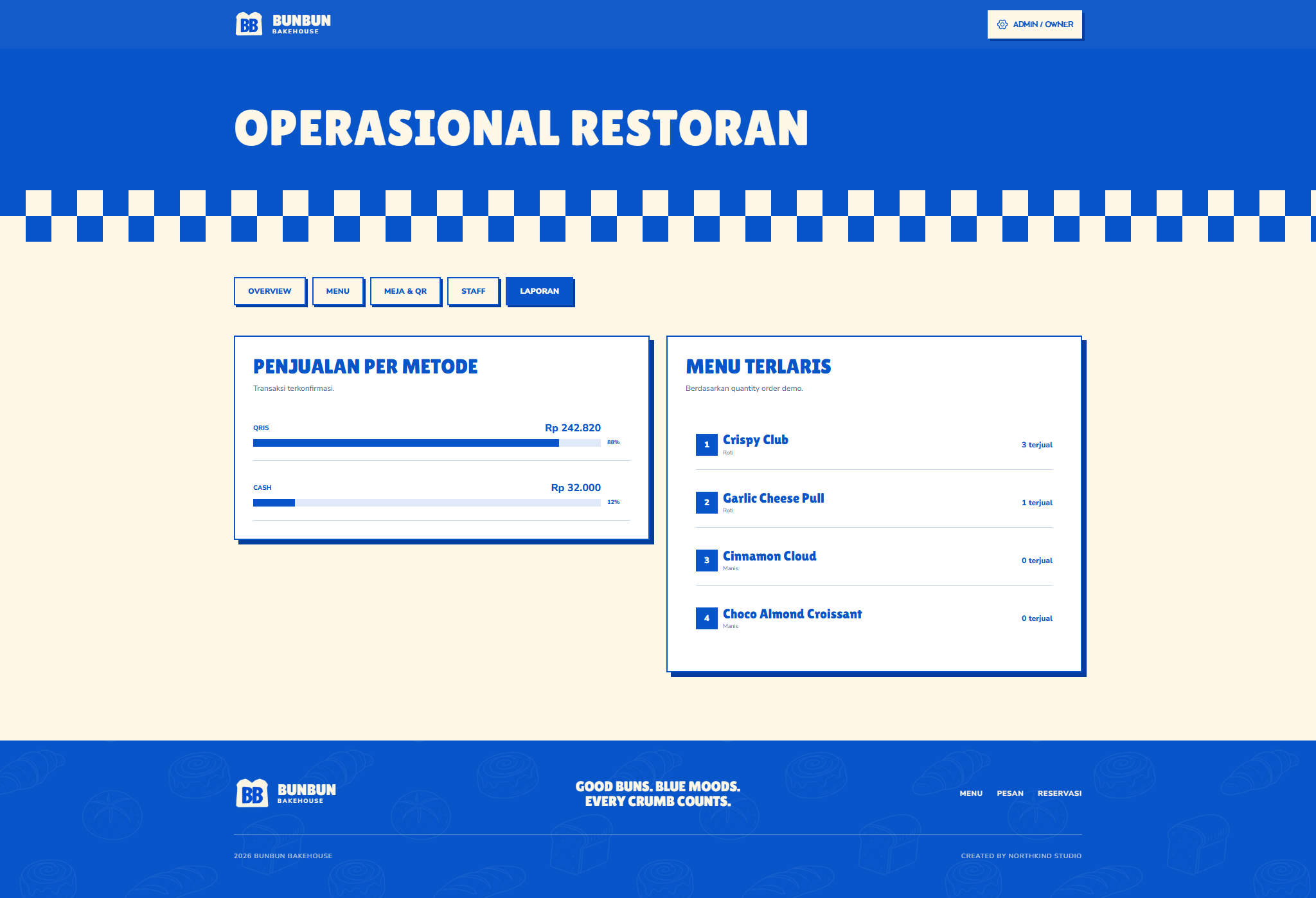
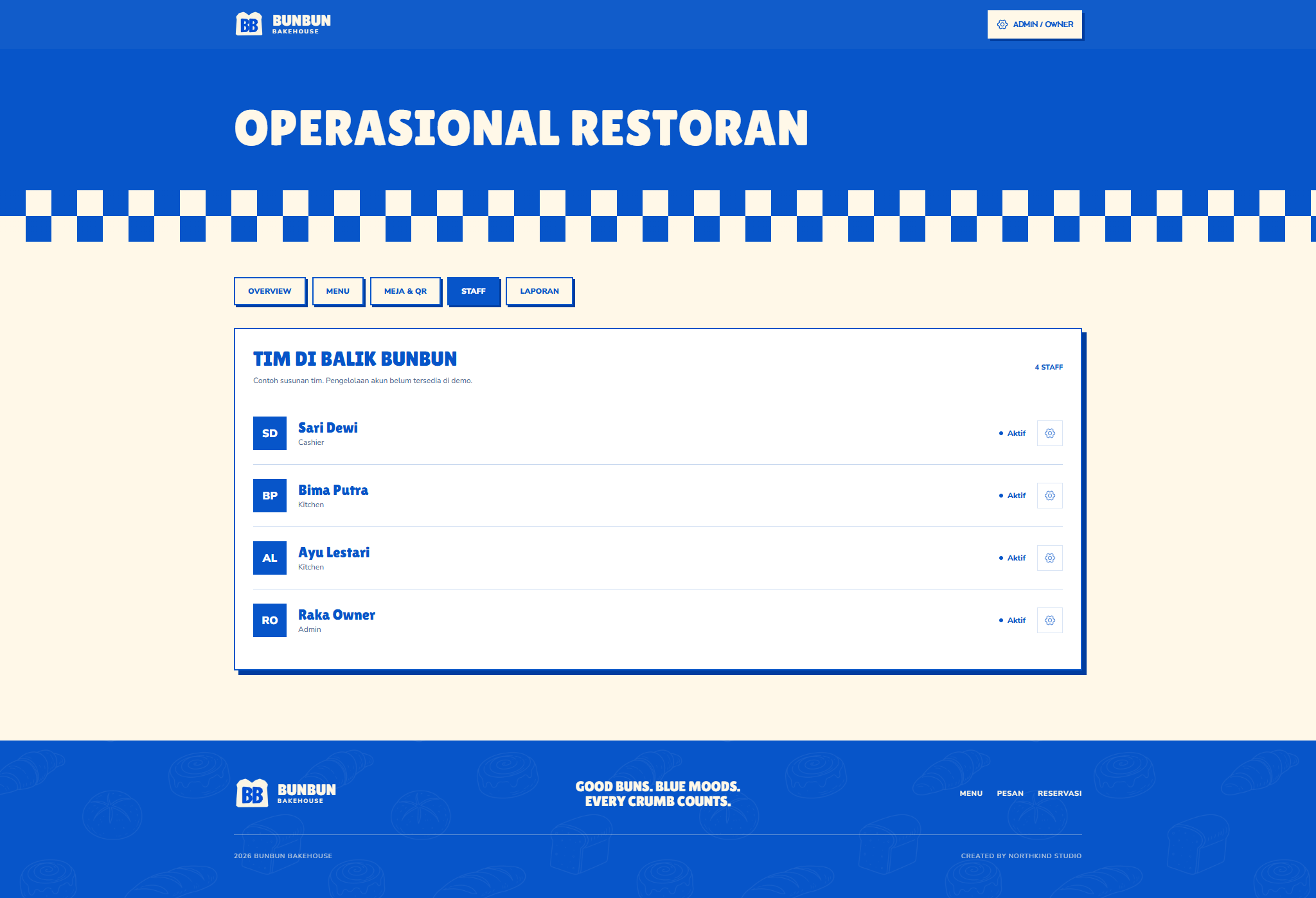
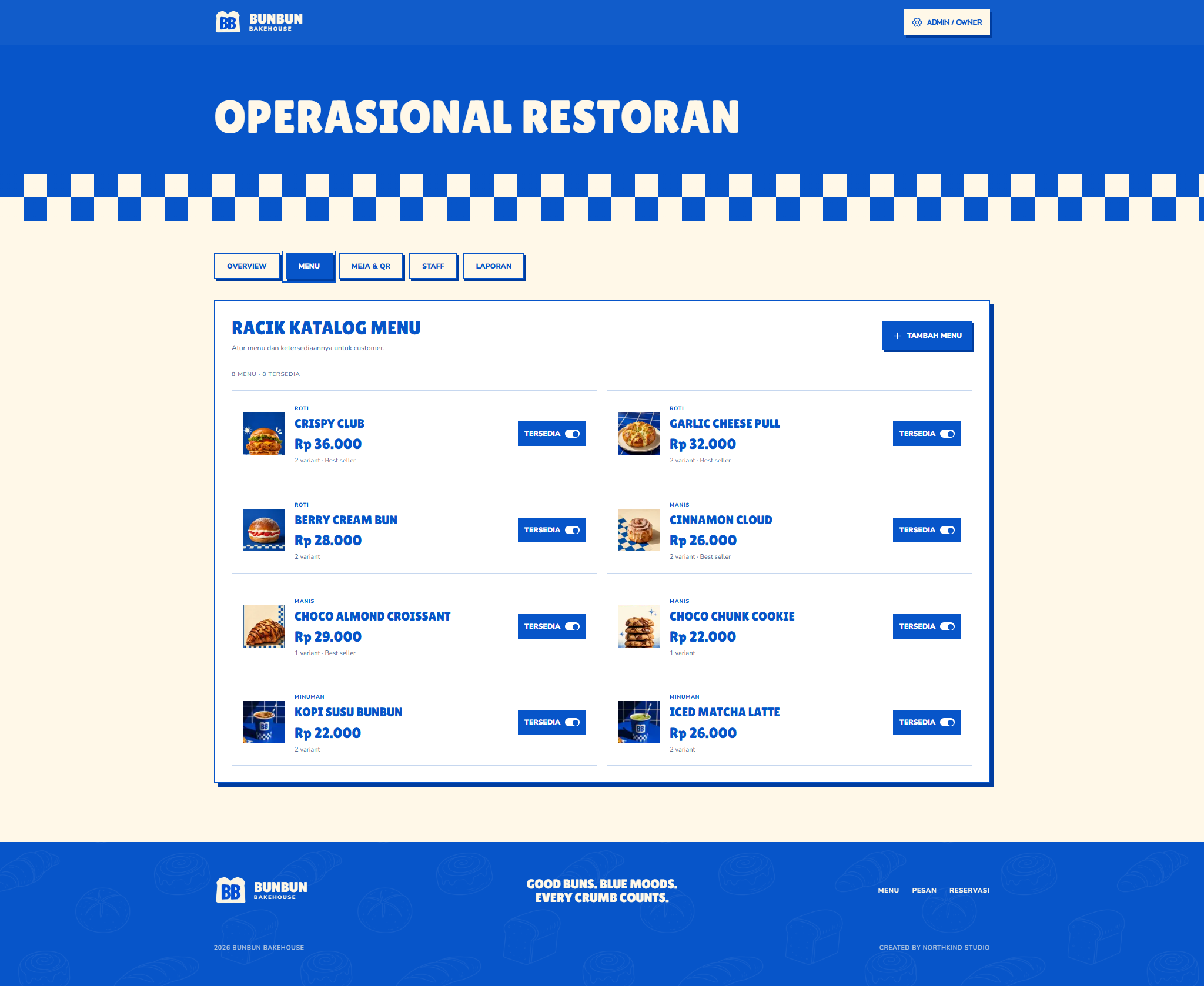
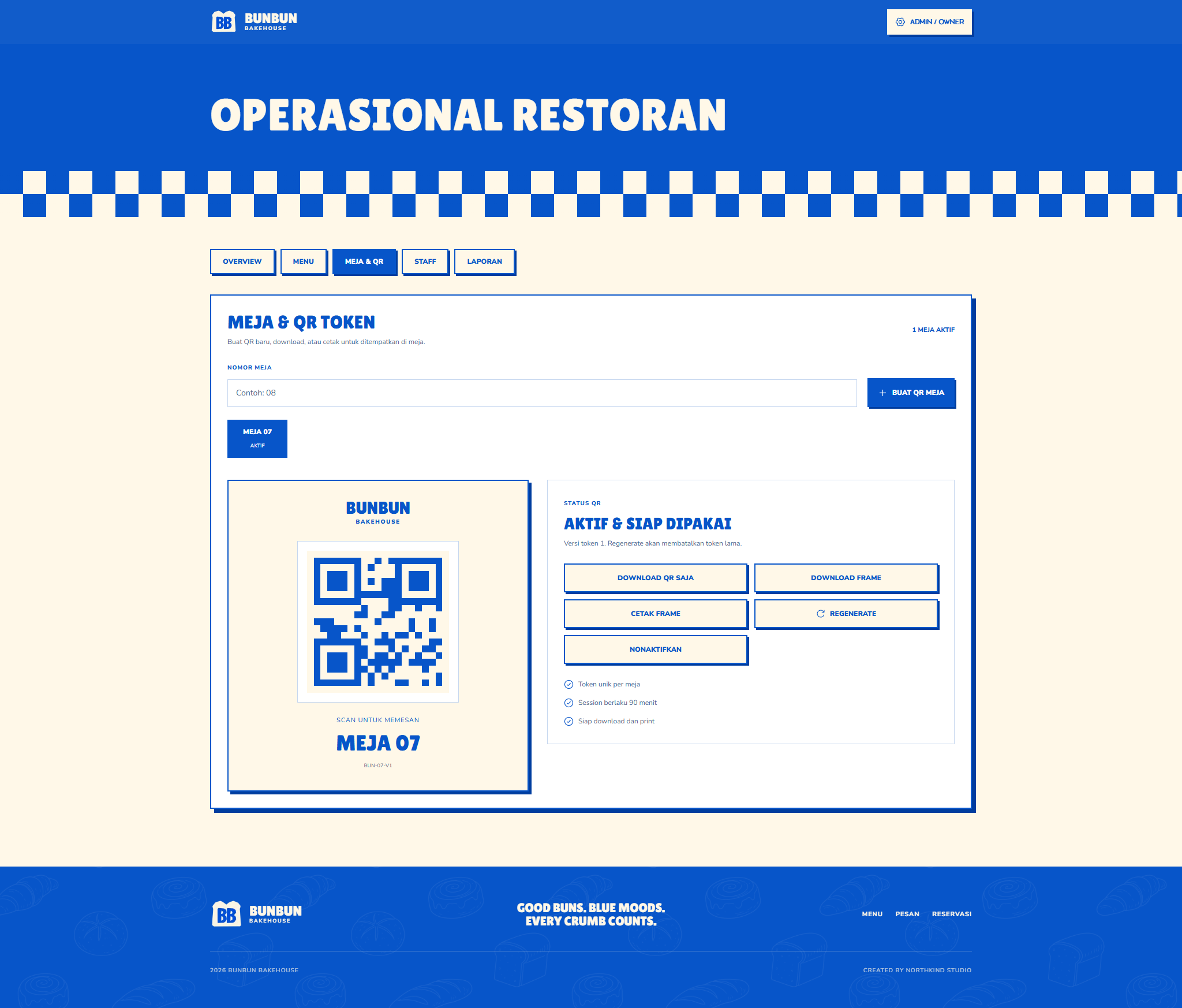
The owner controls menu availability, table QR tokens, staff visibility, transactions, and reports from one bold branded workspace.
- Manage menu availability
- Create and regenerate table QR
- Read payment and menu reports
“A group order stays simple when every item, share, payment, and kitchen state remains attached to the same table record.”
Impact
An advanced restaurant QR ordering system that keeps group participants, item ownership, split payments, kitchen progress, and owner controls inside one shared table order.
- Split-bill modes inside one checkout
- 3
- Connected role workspaces
- 4
- Shared table order with item ownership
- 1